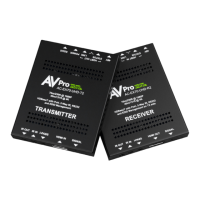
Troubleshooting
• Verify Power -
o Verify Red Power LED is on, Transmitter - Pg. 5
o Verify Red Power LED is on, Receiver - Pg. 9
• Verify Connections - Check that all cables are properly connected
o TX Indicator Troubleshooting Lights - Pg. 5 - 6
o RX Indicator Troubleshooting Lights - Pg. 9 - 10
• Verify signal from TX to display by enabling the TEST PATTERN Generator - Pg. 8
o Test Pattern works but source still not displaying, try another canned EDID.
Default out of the box is EDID BYPASS, try a different EDID or copy the EDID
from the display - Pg. 6 - 7
• Extracted Audio Issues - Pg.13 - 14
o Verify Source is set to output 2ch PCM
*NOTE: This unit does NOT downmix
• IR Issues - Verify correct connections - P.15 - 16
o Visibly flashing Emitters may not function properly, try the IR Cables that
come in the box
• Still having issues, contact us
o Support Direct - +1-605-977-3477
o All inquiries - +1-605-274-6055
o Submit a support request ticket
https://support.avproedge.com/hc/en-us/requests/new


 To Next Page