Phone: 1-803.358.3600 • Fax: 1-803.358.3636
100 Innovation Place • Lexington SC 29072 USA
avtecinc.com • sales@avtecinc.com
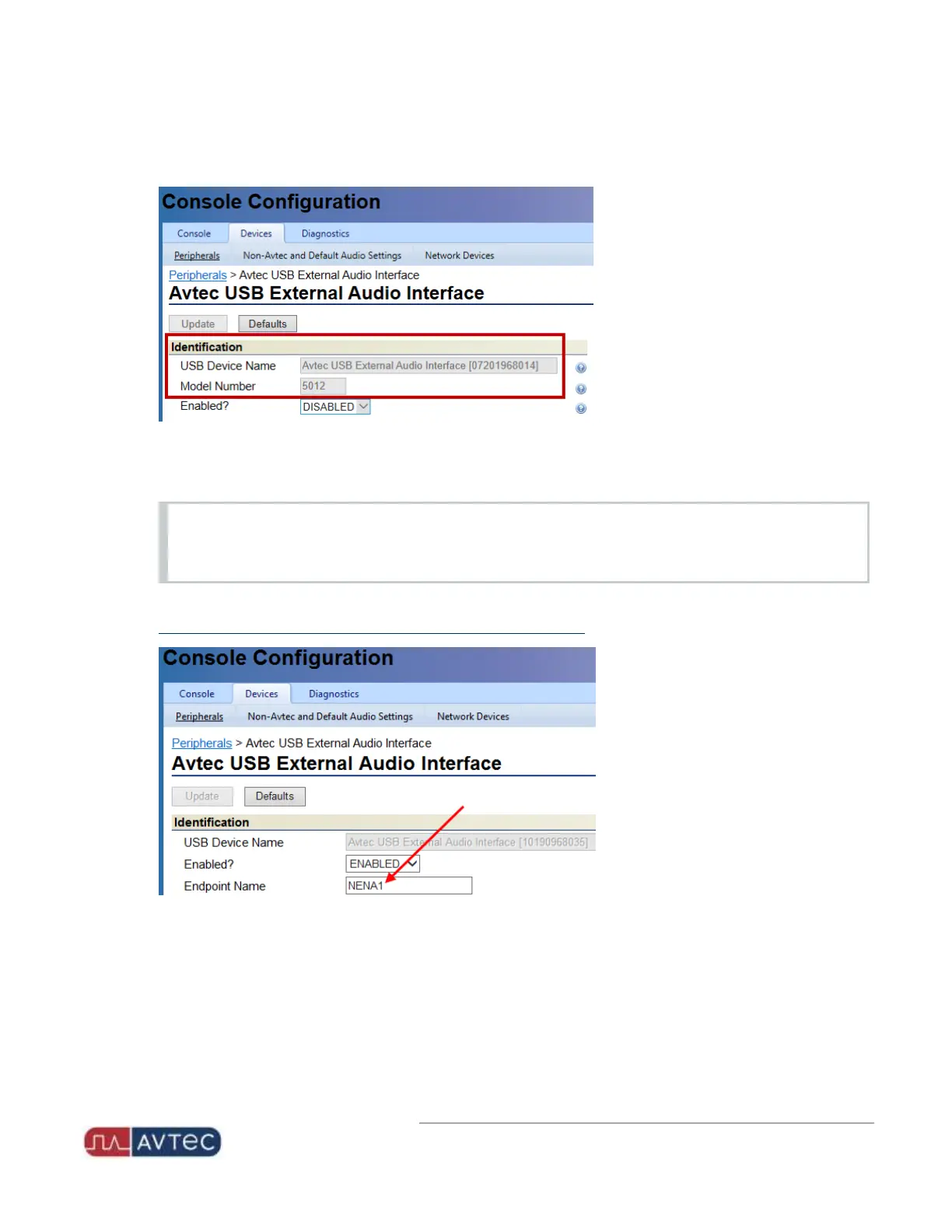
The Avtec USB External Audio Interface page displays with the USBDevice Name and Model Number fields
populated.
4.
Select ENABLED from the Enabled? dropdown.
The Avtec USB External Audio Interface page displays additional fields.
NOTE
When connecting multiple USBNENAjack boxes at a Scout console position, only one jack box can be
configured to enable external audio interface.
5.
In the Identification section, enter the Endpoint Name so that it matches the endpoint created when
configuring the external audio interface endpoint in Scout Manager.
8
Avtec USB NENA Jack Box Configuration Guide | October 2021 | Revision 9


 To Next Page