Phone: 1-803.358.3600 • Fax: 1-803.358.3636
100 Innovation Place • Lexington SC 29072 USA
avtecinc.com • sales@avtecinc.com
Operating the USB NENAJack Box
Rules of Operation
Avtec USB NENA Jack Boxes operate according to these rules:
l
Scout supports configuring up to four USB jack boxes and only one external audio interface per console position.
l
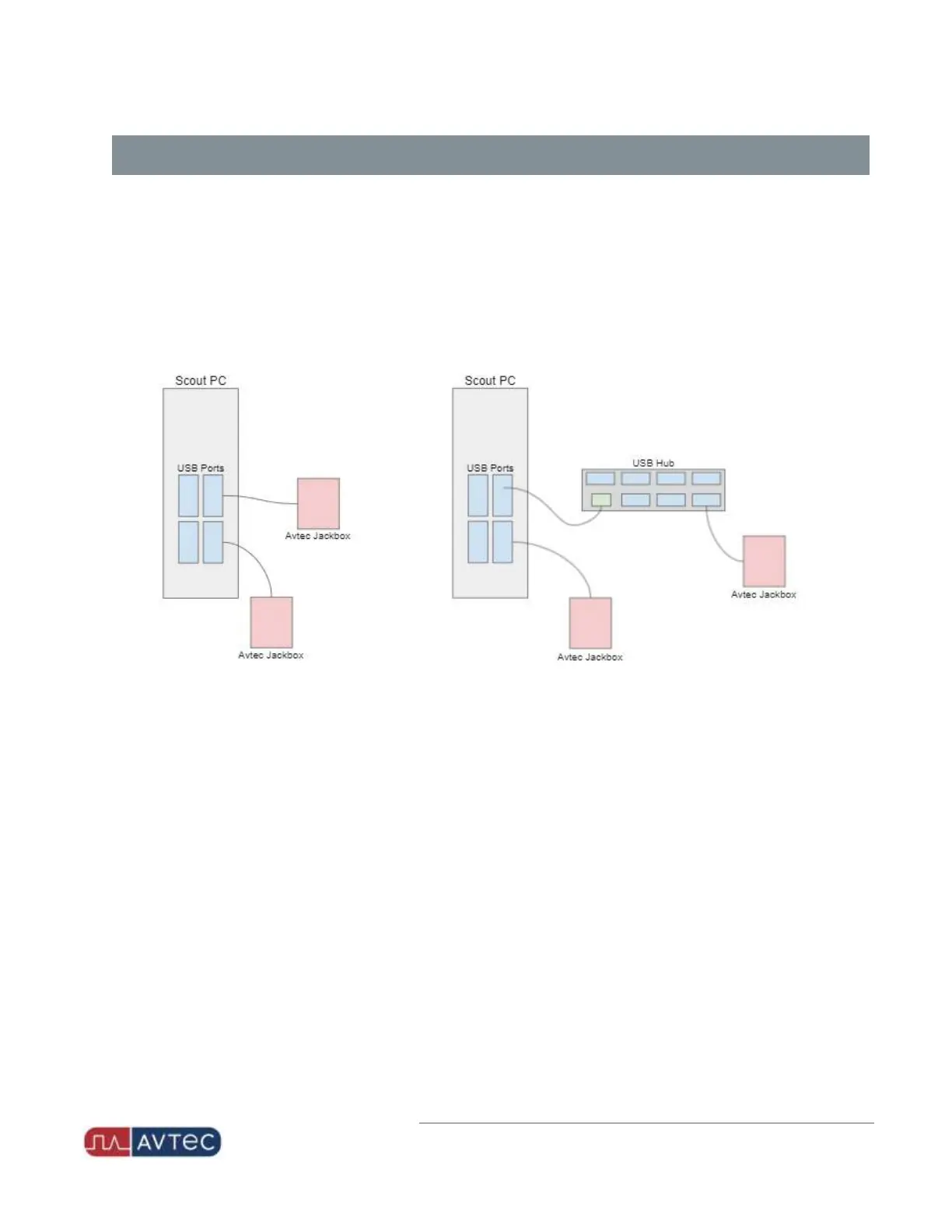
Due to USB host controller limitations, when plugging in your USB peripheral devices, limit the number of jack
boxes to one jack box per physical PC port. If using a USB hub connected to the PC port, there can only be one
jack box plugged into the hub.
l
When connecting multiple USBNENAjack boxes at a Scout console position, only one jack box can be
configured to enable external audio interface.
l
When a dispatcher answers a 911 call, the dispatcher's endpoint for the NENA device selects automatically.
o
An endpoint for the NENA device displays on the screen.
o
The call becomes active.
l
When a dispatcher answers a 911 call via the ResourcePro Tool on a console interfaced with the USBNENAJack
Box, the call does not switch to a screen with the NENAlinepad. However, the call is automatically answered
and becomes the dispatcher's active call.
l
Deselecting the NENA endpoint does not end a 911 call. A 911 call only ends when:
o
The dispatcher hangs up via the NENA device.
o
The dialing party hangs up.
13
Avtec USB NENA Jack Box Configuration Guide | October 2021 | Revision 9


 To Next Page