Item
BRIGHTNESS
To adjust brightness.
CONTRAST
To adjust contrast.
SATURATION
To adjust color saturation.
This product can store up to 100-channel programs (099). Yo u can select your
favorite channel through [CH+/-] or number buttons, and you can scan and store
all of the channels through manual or automatic mode.
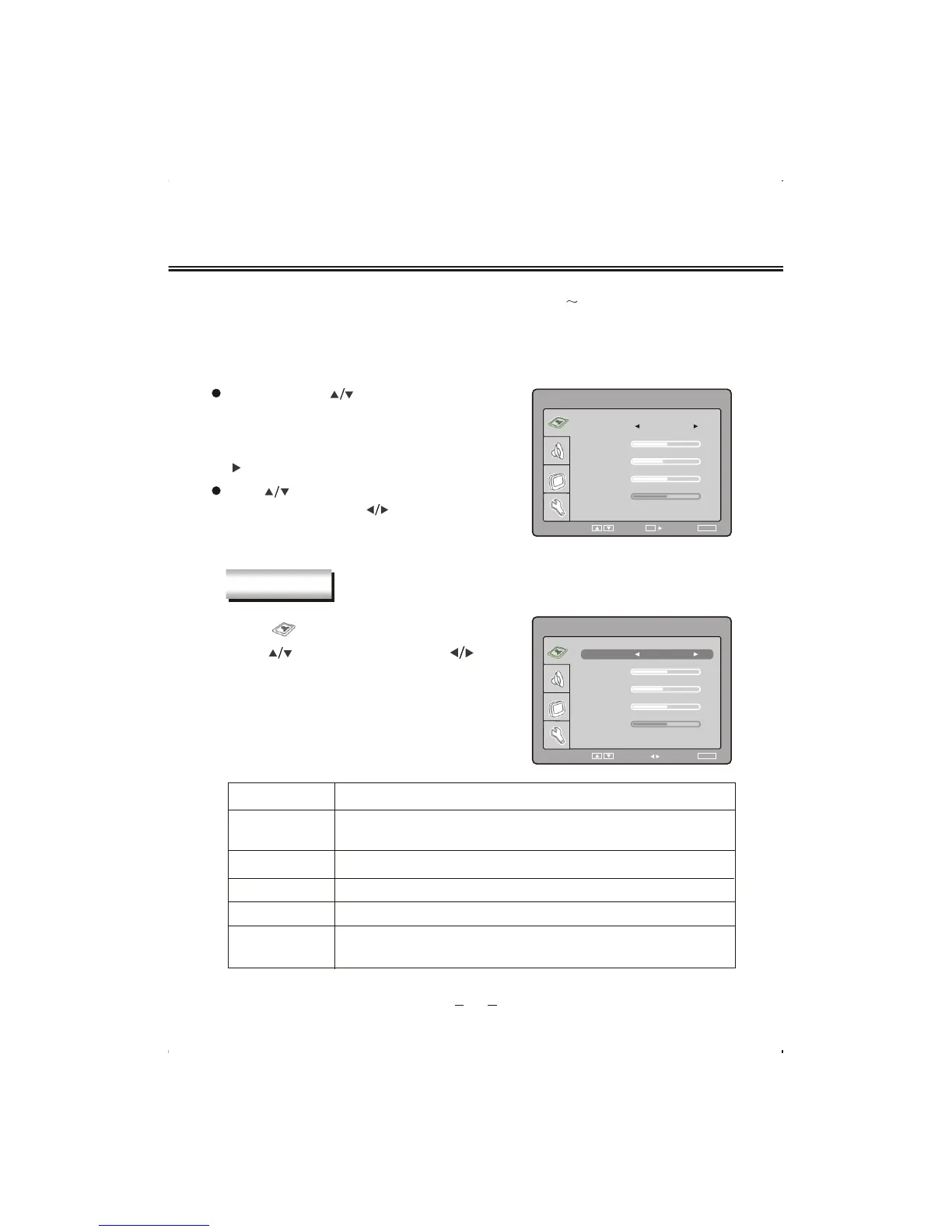
In TV mode, press [SETUP] button into the main menu and the main menu will show as follows:
Through pressing [ ] button on the remote control,
you can select main menu sections(main menu
sections consist of
. Press
[ ] or [OK] button to enter this menu section.
" PICTURE " , " SOUND " ,
" TV SETTING " , " SYSTEM
SETTING ")
Press [ ] button on the remote control to select
the item, and then press [ ] button to adjust
parameter value. Press [SETUP] button to return
to main menu sections.
Select " " and menu will show as follows:
Press [ ] button to select items
and [ ]
button to adjust.
TV MENU SETUP
Description
SELECT RETURN
SETUP
TINT
PICTURE
BRIGHTNESS
SATURATION
CONTRAST
50
40
50
50
TINT
To adjust picture tint, only valid in N 3.58/N 4.43/PAL60 and display
mode with V-scanning frequency equal 59.94 (please refer to P52).
9
PICTURE
SELECT RETURN
SETUP
TINT
PICTURE
50
SATURATION
CONTRAST
40
50
BRIGHTNESS
50
ENTER
OK
ADJUST
PICTURE USER
PICTURE USER
PICTURE
Can be change between : "USER ", "STANDARD ", " DYNAMIC "
and "SOFT ".


 To Next Page