SET TIME
YEAR
MONTH
DATE
HOUR
MINUTE
05
04
03
12
21
40
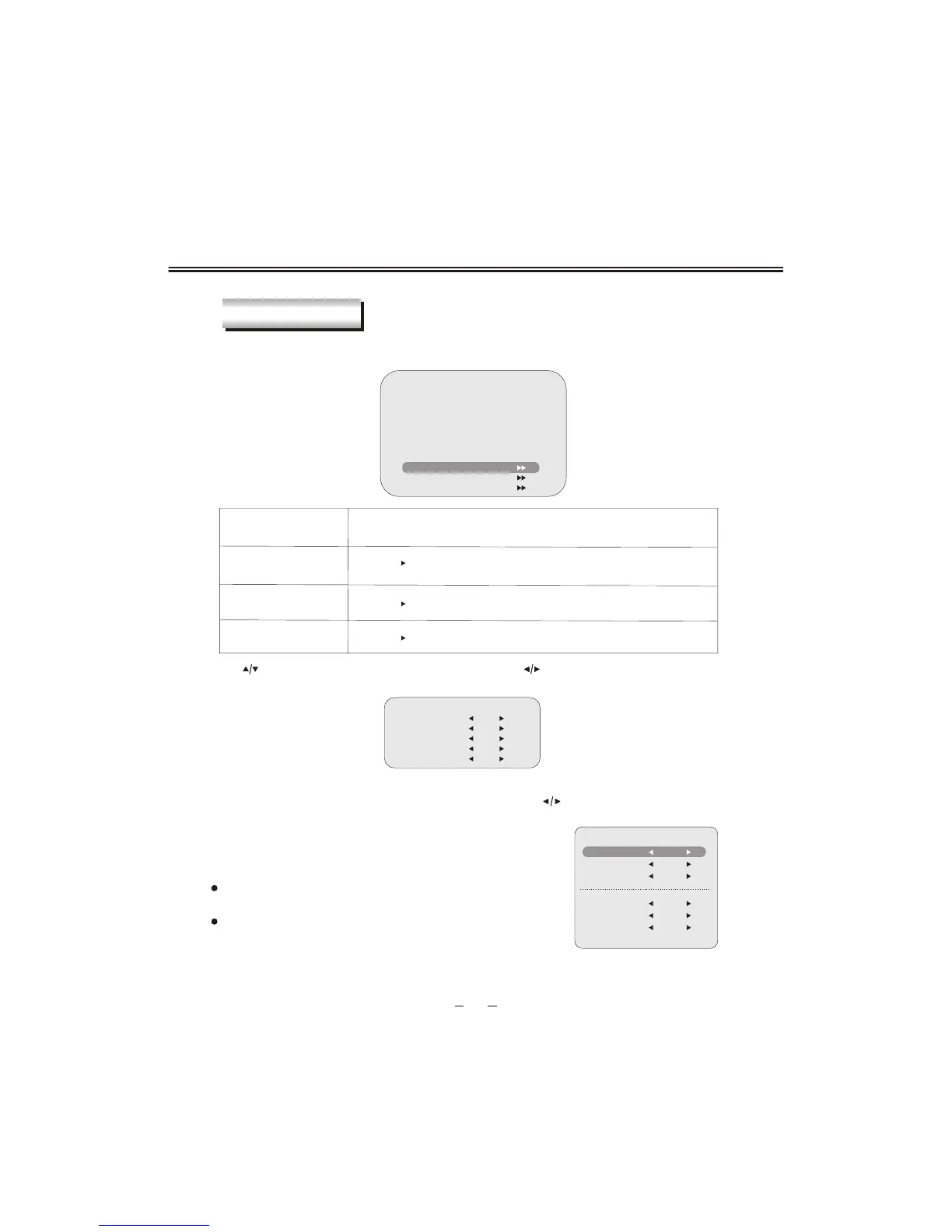
TIME SETTINGS
At any display mode you press [TIMER] button, calendar will show on the screen,
Use []button to choose which value to change and use []button to change it. When new
value is set, press [TIMER] or [OK] button to exit and the value
will be saved immediately.
TIME SETTING
CALENDAR
2005-04-03 12:13:35
SUN MON TUEWEDTHU FRI SAT
1
2
3
4
5
678
9
10
11
12
13 14 15
16
17
18
19
20 21 22
23
24
25
26
27 28 29
30
SET TIME
SET TIMER ON
SET TIMER OFF
Item
Description
SET TIME
SET TIMER ON
SET TIMER OFF
Press [ /OK] button to go to the set time sub menu.
With TIMER ON function, you can waken on this unit at a certain time from standby mode.
You can go into SET TIMER ON sub menu by pressing [ /OK] button when cursor pointing
at SET TIMER
ON .There are 3 items in this sub section.
""
""
""
Press [ /OK] button to go to the set timer on sub menu.
Press [ /OK] button to go to the set timer off sub menu.
You can set two timers for power on. That means you can power
on your LCD TV two times a day automatically.
You can set the hour and minute for auto power on here.
HOUR 1 and MINUTE 1 set for the TIME
R 1 for auto power on,
ACTIVATE 1 can be set for activate setting for TIMER 1.
You can choose ON/OFF and ONCE on ACTIVATE 1.
When ON is selected, timer 1 will always enable auto powering
on .
When you select OFF ,timer function will be disable .If you select
"ONCE", timer 1 will enable auto powering on and, after it powers
on automatically for the first time, the setting w
ill go to "OFF" automatically.
SET TIMER ON
HOUR 1
MINUTE 1
ACTIVATE 1
00
00
OFF
HOUR 2
MINUTE 2
ACTIVATE 2
00
00
OFF


 To Next Page