2
PANEL BUTTON FUNCTIONS
HD3DSound
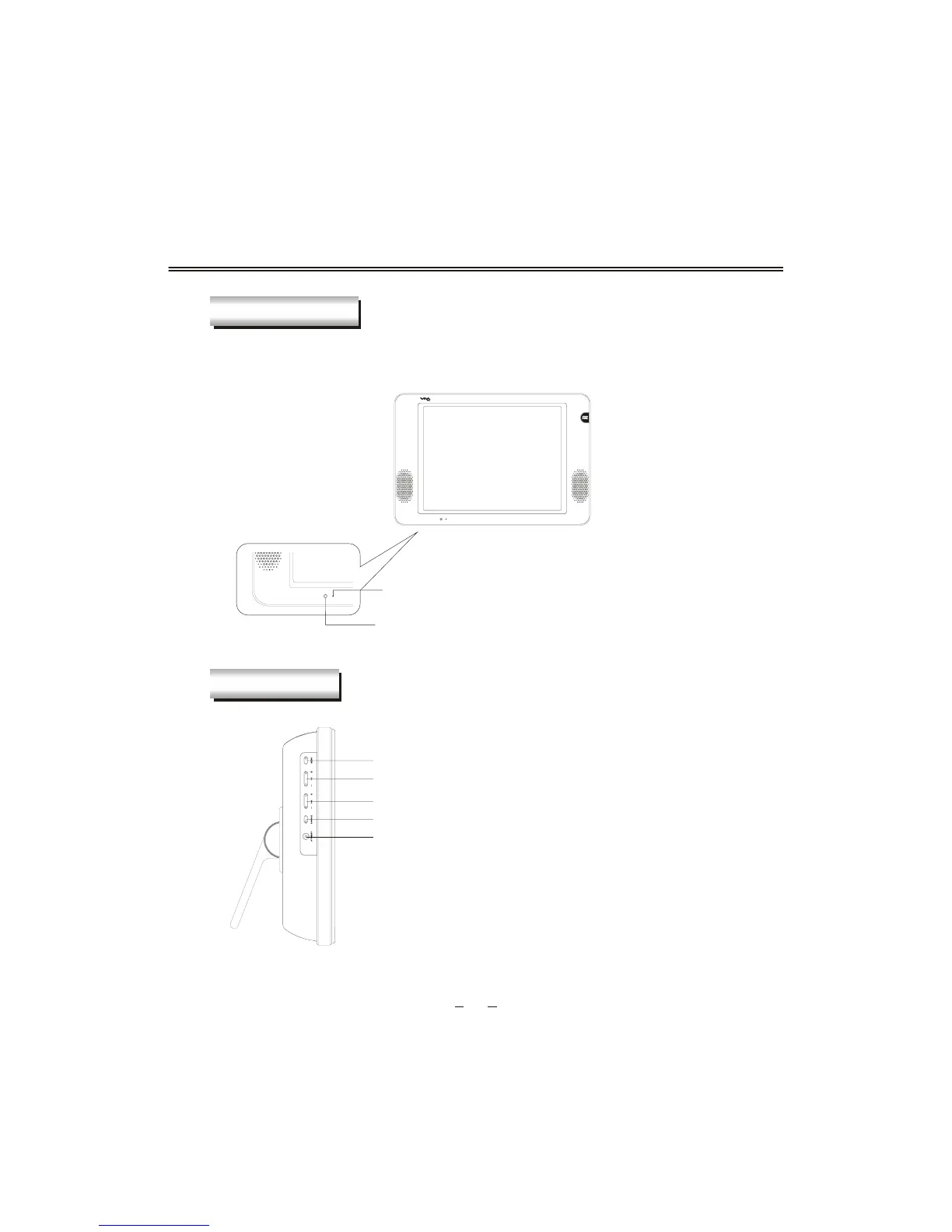
FRONT PANEL
LEFT PANEL
Indicator(the indicator is red when in standby
mode, and green when in working normally)
MENU(Enter or exit TV menu)
CHANNEL(Increase or decrease channel number)
VOLUME(Increase or decrease volume)
SOURCE(Select input source )
STANDBY(To switch in standby mode and power-on
mode. )
IR sensor window


 To Next Page