To adjust frequency
VGA SETUP
20
M ONI TOR SETTI NG
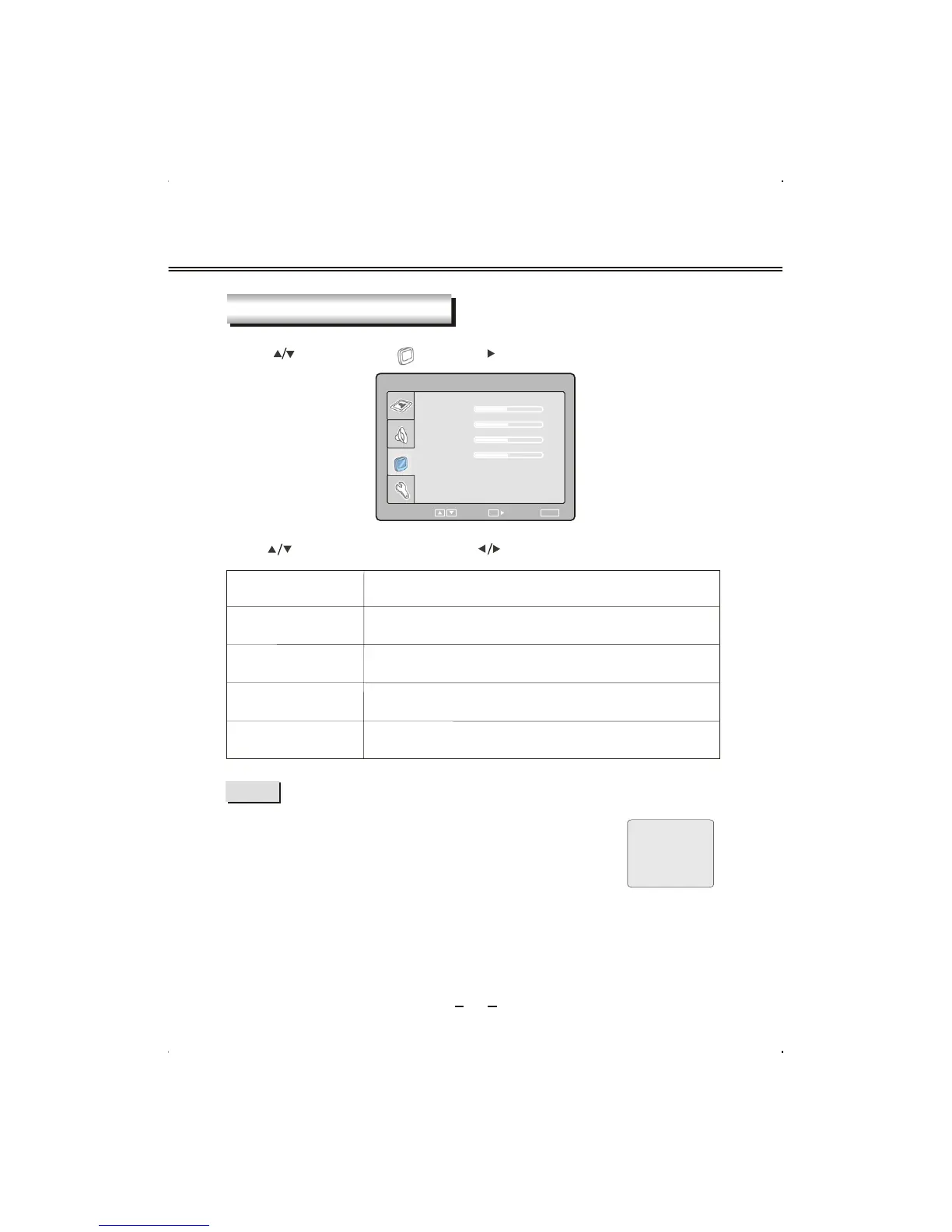
Press [ ] button to select " " and press [ ] or [OK] button to enter.
Item
Description
P
HASE
FREQUENCY
H-POSITION
V-POSITION
To adjust phase.
To adjust screen horizontal position
To adjust screen vertical position
Press [ ] button to select item and press [ ] button to adjust value of item.
NOTE
VGA
NOSIGNAL
1:50
If you use this unit as a PC-monitor, and when your PC goes into
standby mode, the screen will show as dexter . This unit will go
into sleep mode with no signal i nputted in 2 minutes.
In this mode,
the indicator will remains green, and the screen
is turned off. Yo u can wake it up by waking up your PC or pressing
[SETUP] or [SOURC E] button in the remote control.
MONITOR SETTING
PHASE
FREQUENCY
H-POSITION
SELECT RETURN
SETUP
V-POSITION
49
50
50
50
ENTER
OK


 To Next Page