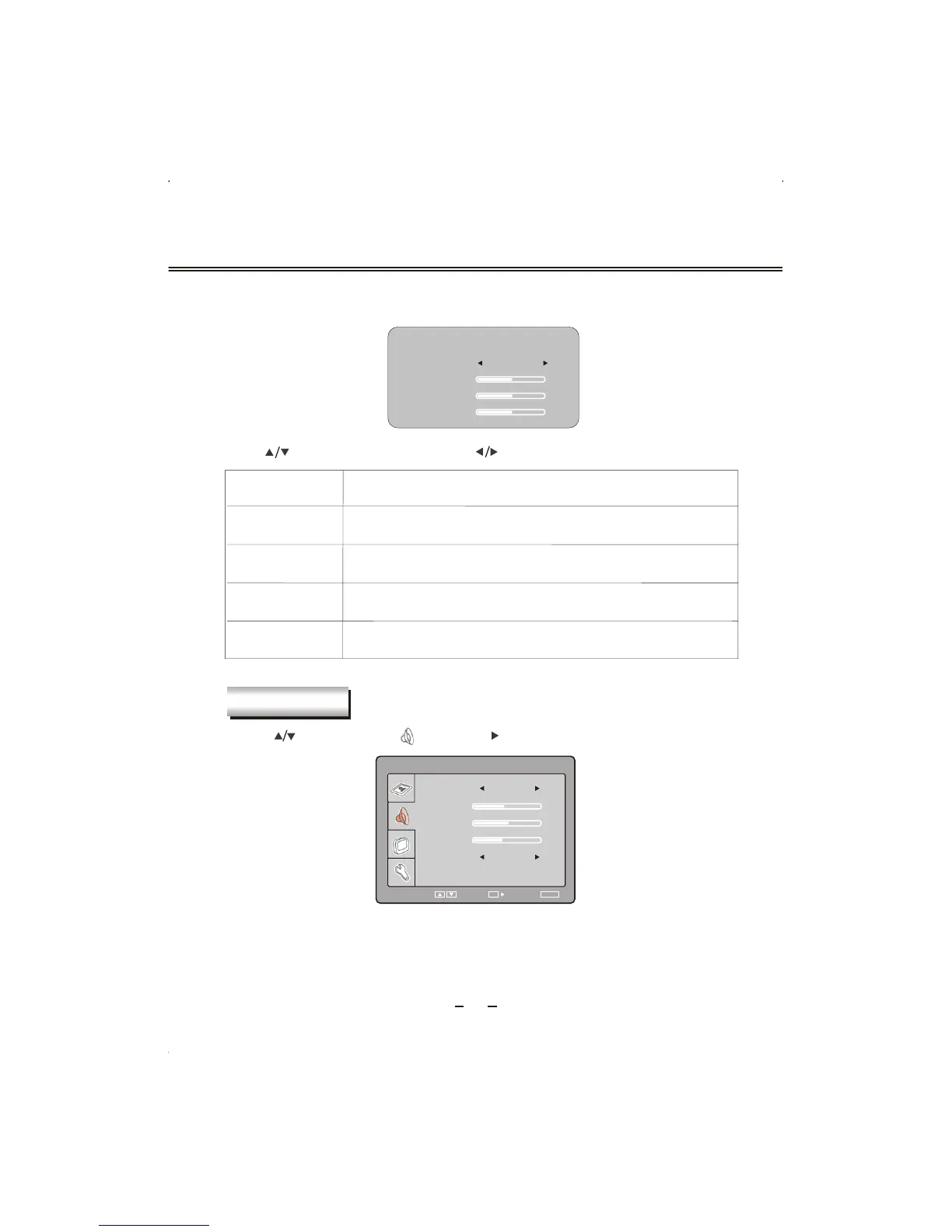
COLOR TEMPERATURE
COLOR
RED
GREEN
BLUE
50
50
50
USER
VGA SETUP
Here shows the color temperature sub menu.
19
Item
Description
COLOR
R
ED
GREEN
BLUE
Select color temperature mode :"User", "C6500", "C8700",
"C9300".
Adjust red value of color temperature
Adjust green value of color temperature
Adjust blue value of color temperature
SOUND
Press [ ] button to select " " and press [ ] or [OK] button to enter.
The operation of sound section here is the same as that in TV mode. Please refer to P10.
Press [ ] button to select item and press [ ] button to change and adjust value of item.
50
BASS
40
BALANCE
34
TREBLE
SOUND
SELECT RETURN
SETUP
ENTER
OK
SOUND
USER
BBE VIVA OFF


 To Next Page