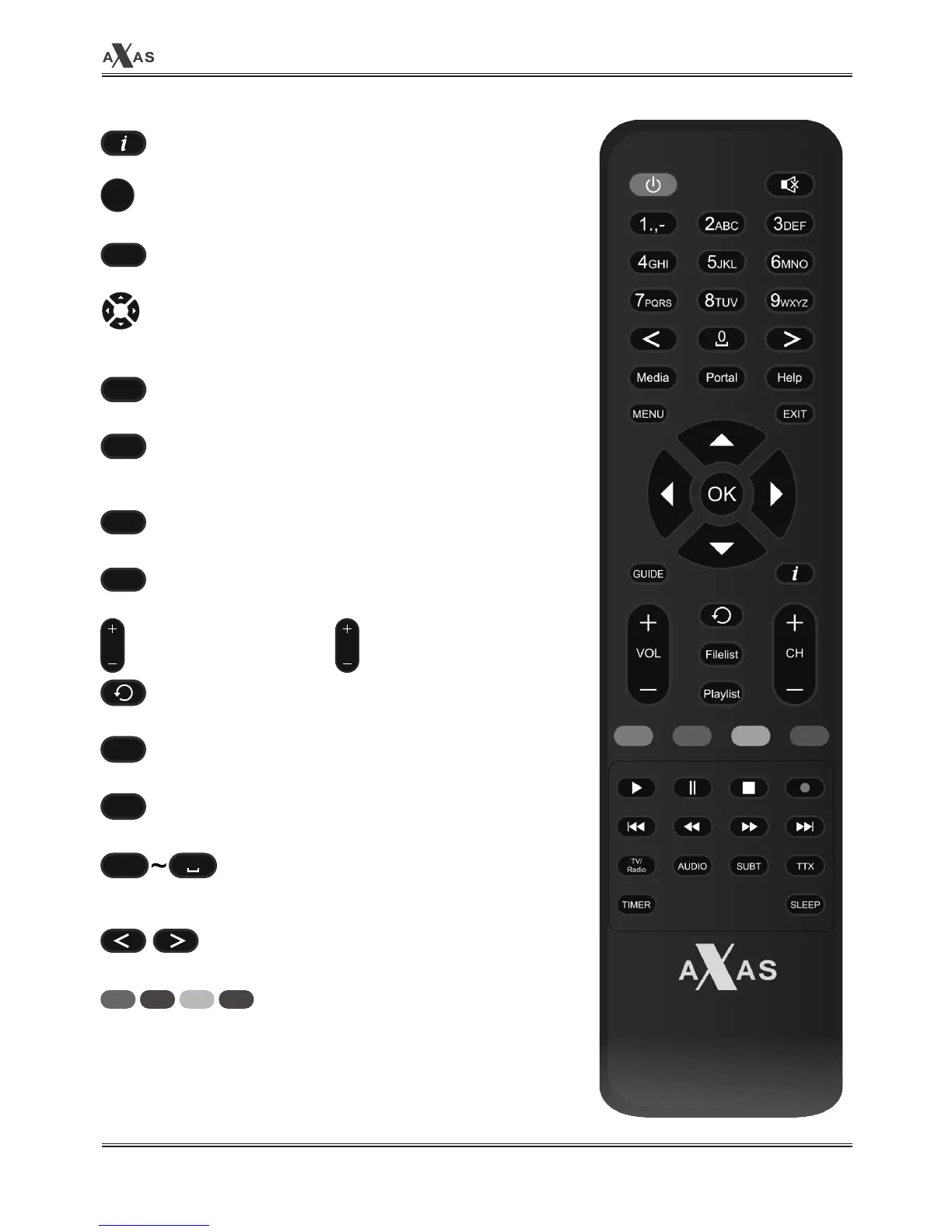
. Info
To display current channel information.
. OK
Confirms the selected menu option.
. Help
Displays the programme guide.
. Navigation Keys
Navigates up/down and left/right on the menu options.
Up/down keys are used to call up the channel list.
. Menu
Displays the main menu.
. EXIT
Exits the current menu option into the live mode, or switches one
step back of the menu.
. Media
Displays the video track option to choose.
. Portal
Portal
. Volume +/-
Adjusts the audio volume.
. Back
Returns to the previous screen.
. Filelist
Displays the list of recordings stored on the internal HDD if any.
. Playlist
Displays channel list during viewing mode.
. Number Keys
Enter a channel number or numbers required to be input according to
menu options.
. Navigation Keys
Navigates left/right on the menu options.
. Color Keys
Each key is assigned a specific function that may be different in
each menu.
• Red
• Green
• Yellow
• Blue
OK
MENU
EXIT
Help
Media
VOL
CH
. Channel +/-
Navigates through the
scanned channel list
Portal
0
1.,-



 To Next Page