English
14
6 Connecting instrument
Connectyourguitar,bassoranyothermonoinstrumenttotheinstrumentinputonAXEI/OONEusinga1⁄4”
plugunbalanced(TSor“mono”)guitarcable.
Please refer to Section 3 of this manual for the complete description of features dedicated to the instrument
input.
NOTE: In your audio software, select the AXE I/O ONE as the input source of the track you will be recording to.
Adjust the channel gain knob until you have a sufficient audio signal without clipping.
7 Connecting loudspeakers and headphones
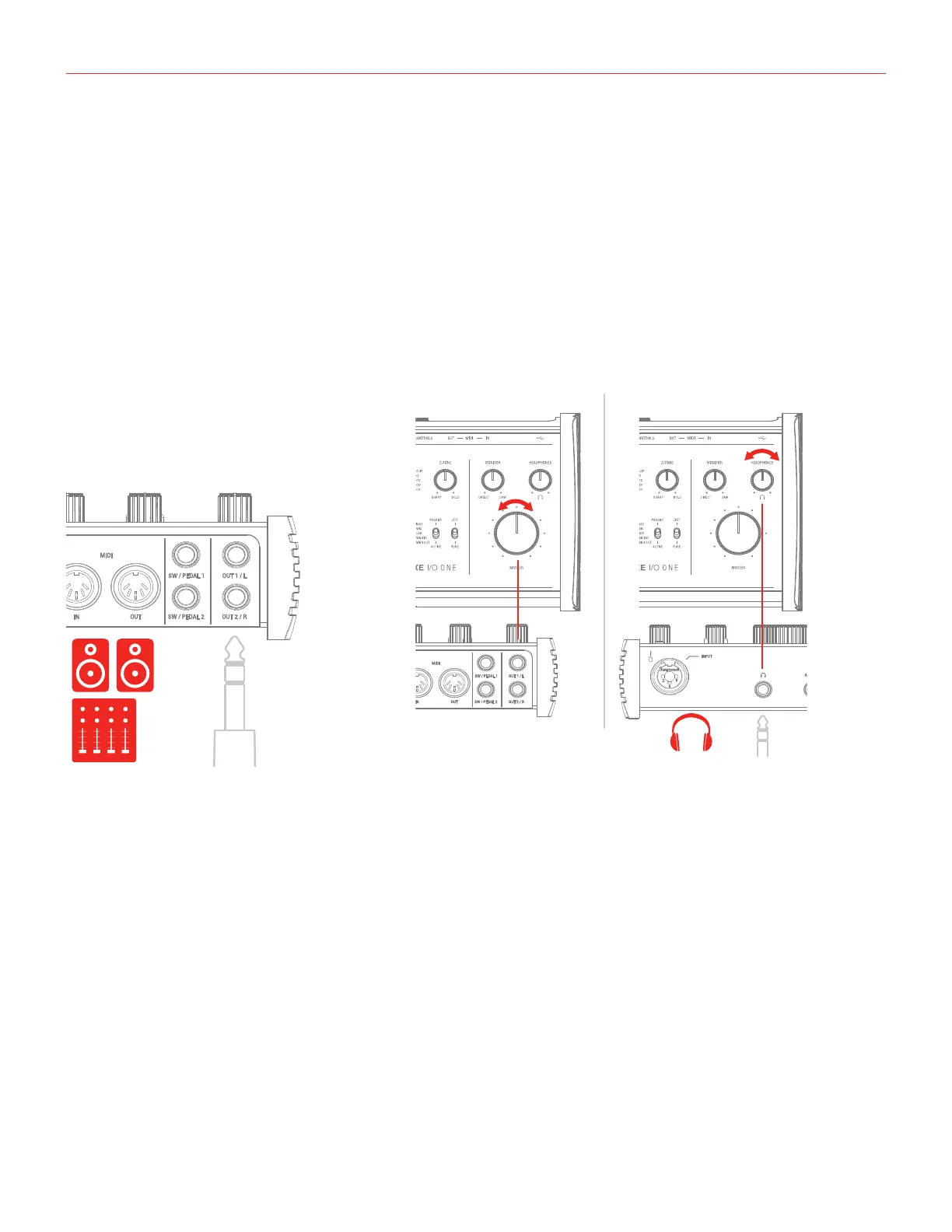
The1/4”jackoutputs1/Land2/Rontherearpanelwillnormallybeusedtodrivemonitorspeakers.Self-
powered (active) monitors incorporate internal amplifiers, and may be connected directly. Passive loudspeakers
will require a separate stereo amplifier; in this case, the rear panel outputs should be connected to the amplifier’s inputs.
Line outputs 1/L and 2R are electronically balanced and floating and will automatically compensate the level
when connection is balanced or unbalanced.
OnthefrontpanelofAXEI/OONEispresentone1/4”(6.35mm)jacksocketwhereyouconnectapairof
headphones whose level can be controlled with the headphone knob.


 To Next Page