English
16
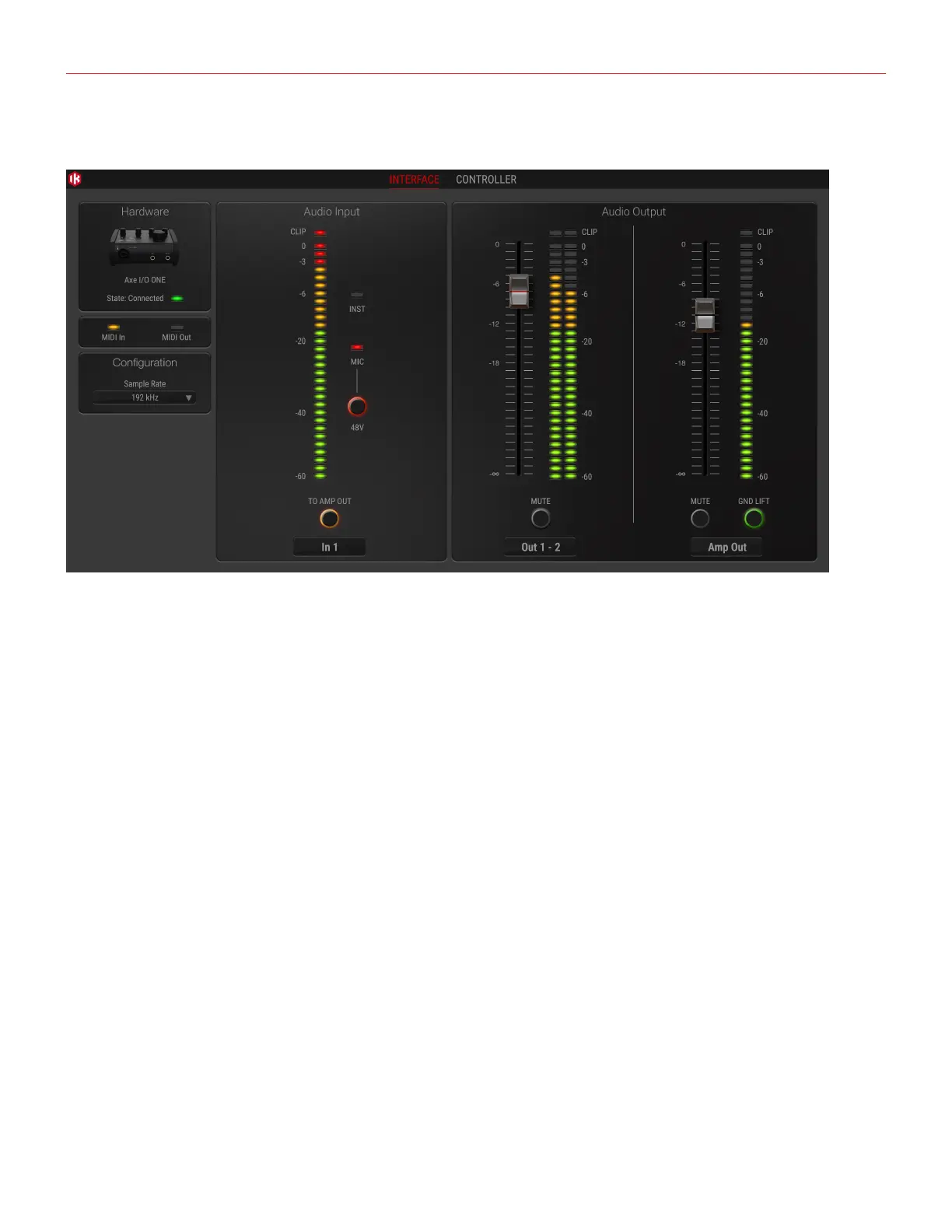
9.1 Interface view
State. This LED shows when an AXE I/O ONE unit is connected and active.
MIDI In/Out. these LEDs shows when there is MIDI activity on the AXE I/O ONE physical MIDI ports.
Sample Rate. Here you can set the working sample rate for the AXE I/O ONE unit, from 44.1 kHz to 192 kHz.
Remember that in most cases, DAWS and host applications will likely control this value by their end, not
allowing it to be forced differently. For this reason, you might see this value return to its previous state when you
attempt changing it.
To Amp Out. When activated, this button routes the Instrument Input directly to the Amp Out with zero latency.
Audio Input section. Here you can see the input channel active source (Instruments or Mic) and monitor the
level on high precision peak meters. You can also switch 48V phantom power on and off. Remember that
phantom power will only be applied to the XLR input.
Audio Output section. Here you can see the output channels levels on precision peak meters, you can adjust
the output levels of all outputs with the large sliders, or you can quickly mute each output individually.
GND LIFT. The Amp Output is a specially designed floating output made to drive amplifiers and sensitive
vintage stomps without the typically associated ground loop noises, hum and buzzes. Depending on what else
is connected to the AXE I/O ONE and what grounding scheme is implemented in the setup the amp connection
can be cleaner with GND LIFT active or not active. The default position is GND LIFT, with lift active, but if you
hear some buzz or noise when connecting an high gain guitar amp, try switching off the GND LIFT.


 To Next Page