English
4
1. AXE I/O ONE overview
1.1 Top panel
1
2
3
5
4
8
9
10
6
7
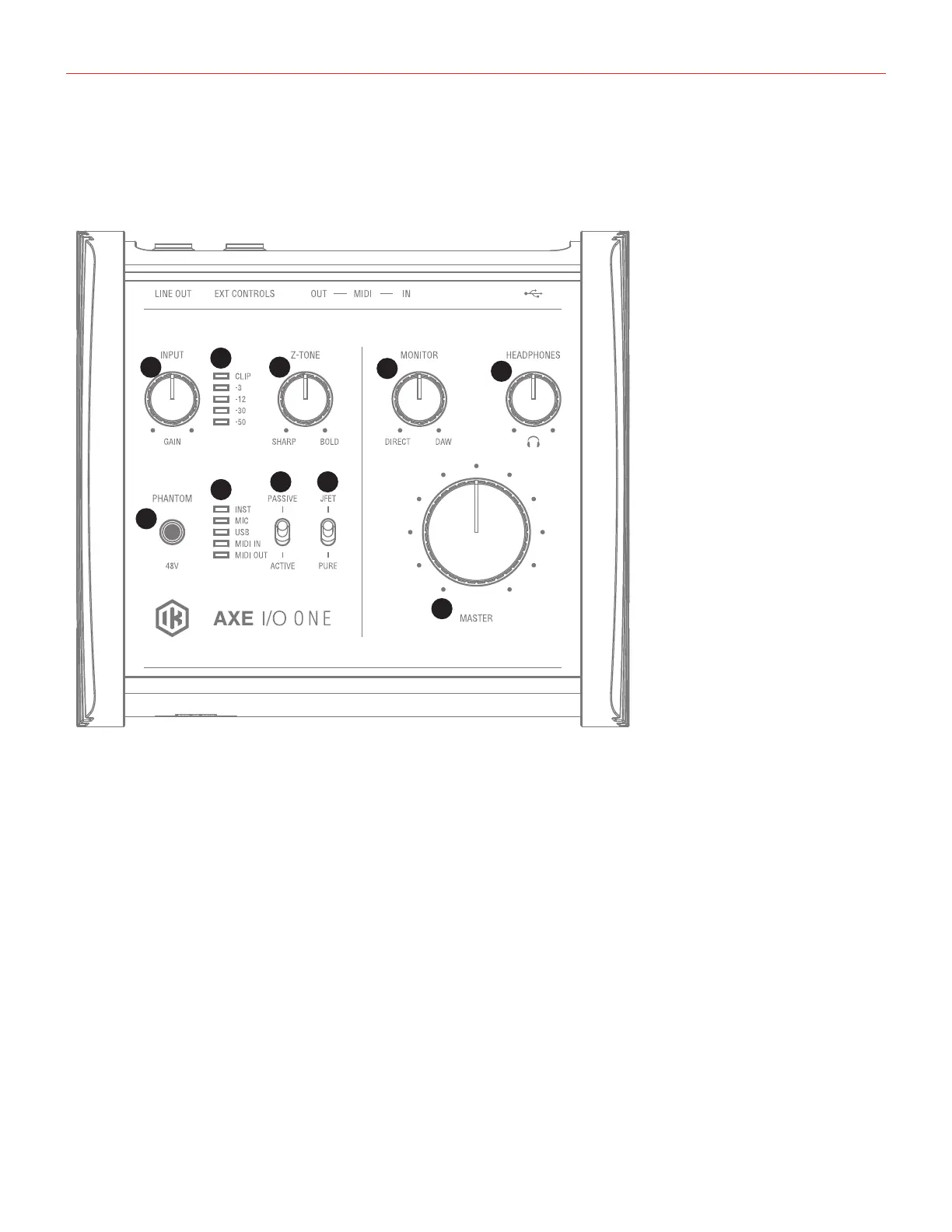
1. GAIN - adjusts the input gain for the signal at the input.
2. Peak Meters - the input has a dedicated 5-segment peak meter, with 1-second hold on CLIP, that indicates
the level of the input signal.
3. Z-TONE™ - Variable impedance control - the front control named Z-TONE™ allows you to change the input
impedance on the instrument input allowing for unique possibilities for tone shaping your instruments.
4. JFET/PURE - Preamp topology selector - this selector allows you to select two different preamp topologies
for your connected instrument: JFET preamp type and Pure preamp type.
5. PASSIVE/ACTIVE - Pick-Up selector - this selector allows you to match the type of pick-up installed on the
connected instrument.
6. MIDI IN/OUT LEDs - these LEDs illuminate when MIDI data is received from/transmitted to the MIDI port.
USB LED - this LED illuminates when the unit is recognised by the computer to which it is connected.
INST, MIC LEDs - active input indication with auto select. If no connection is made, or if an XLR is
connected to the Combo input, the MIC input will be activated, and the corresponding LED will light up; if an
instrument is connected to the Combo input, the INSTRUMENT input will be selected and the corresponding
LED will light up.
7. 48V - This switch enables 48V phantom power for the XLR microphone input. The switch illuminates when
phantom power is selected.


 To Next Page