AXEM Technology
11 rue Auguste Perret, 94042 Créteil, FRANCE – info@axemtec.com – +33 (0)1 41 94 11 85 – www.axemtec.com
Siret : 45071140300045 - APE : 4652Z - RCS : CRETEIL 450711403 - N° TVA intracom : FR05450711403 - Capital : 500 000,00 €
Fichier : AT-07 tablet user guide20190423_AT-
07_user_guide AT-07 tablet
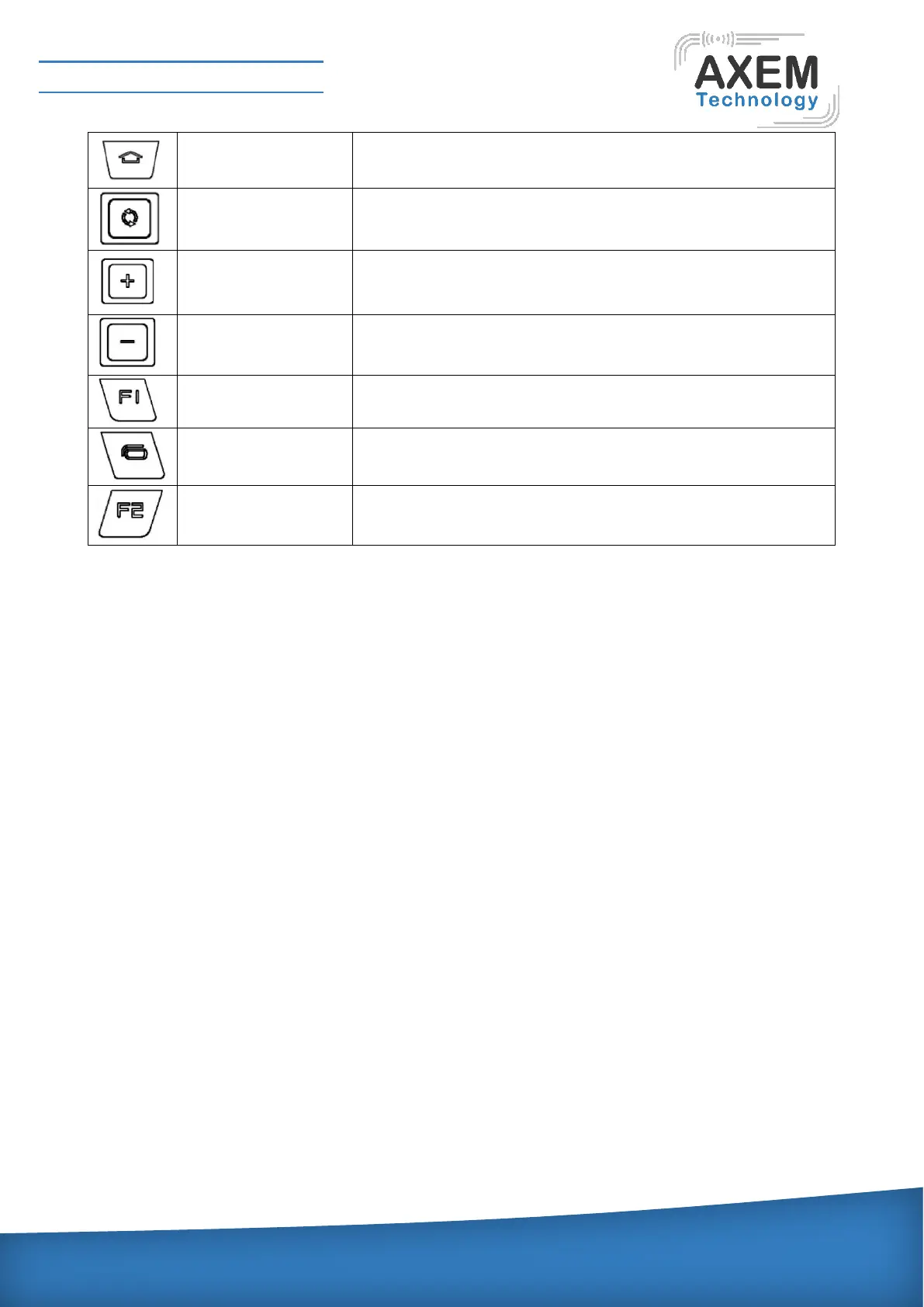
Pressing this button to return back to the main screen window.
Long press 5 seconds to reset the device
Can adjust the volume for calling and make the loud speaker
louder.
Can adjust the volume for calling and make the loudspeaker
lower.
Shortly pressing the button can start to scan the bar code.
Indicator lights:
The meaning of the 2 indicator lights from left to right is as following:
Indicator light 1: Equipment light, indicating the equipment state, which have 3 glittering state.
1) Normal state: 0.5s on, 4.5s off
2) Incoming call state: 0.5s on, 0.5s off
3) Receive the message or missed call: 0.5s on, 1.5s
Indicator light 2: Unused


 To Next Page