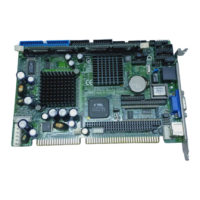
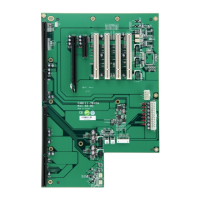
SBC82621 Socket370 Half-size All-in-One CPU Card User’s Manual
When you enter the Setup utility, the Main Menu screen will
appear on the screen. The Main Menu allows you to select
from various setup functions and exit choices.
CMOS Setup Utility-Copyright © 1984-2001 Award Software
Standard CMOS Features Frequency/Voltage Control
Advanced BIOS Features Load Fail-Safe Defaults
Advanced Chipset Features Load Optimized Defaults
Integrated Peripherals Set Supervisor Password
Power Management Setup Set User Password
PnP/PCI Configurations Save & Exit Setup
PC Health Status Exit Without Saving
Esc : Quit F9 : Menu in BIOS : Select Item
F10 : Save & Exit Setup
F6 : SAVE CMOS TO BIOS F7 : LOAD CMOS FROM BIOS
Time, Date, Hard Disk Type…
The section below the setup items of the Main Menu displays
the control keys for this menu. Another section located at the
bottom of the Main Menu, just below the control keys section,
displays information on the currently highlighted item in the list.
NOTE:
If you find that your computer cannot boot after
making and saving system changes with Setup, the
Award BIOS, via its built-in override feature, resets your
system to the CMOS default settings.
We strongly recommend that you avoid making any changes to
the chipset defaults. These defaults have been carefully
chosen by both Award and your system manufacturer to
provide the absolute maximum performance and reliability.
Award BIOS Utility
30


 To Next Page