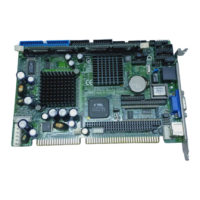
SBC82621 Socket370 Half-size All-in-One CPU Card User’s Manual
4.2.1 Standard CMOS Setup
“Standard CMOS Setup” allows you to record some basic
hardware configurations in your computer system and set the
system clock and error handling. If the motherboard is already
installed in a working system, you will not need to select this
option. You will need to run the Standard CMOS option,
however, if you change your system hardware configurations,
the onboard battery fails, or the configuration stored in the
CMOS memory was lost or damaged.
CMOS Setup Utility-Copyright © 1984-2001 Award Software
Standard CMOS Features
Date (mm:dd:yy) Fri, Feb 22 2002 Item Help
Time (hh:mm:ss) 16 : 48 : 51
Menu Level
IDE Primary Master
Press Enter None
IDE Primary Slave
Press Enter None Press [Enter] to enter
next page for detail
Drive A 1.44M, 3.5 in. hard drive settings
Drive B None
LCD Type T1 1024x768 DSTN
CRT Screen Expansion Enabled
Display Type During POST Default
Display Type After POST Default
Halt On All, But Keyboard
Base Memory 640K
Extended Memory 65472K
Total Memory 1024K
: Move Enter: Select +/-/PU/PD: Value F10: Save ESC: Exit F1:
General Help
F5: Previous Values F6: Fail-Safe Defaults F7: Optimized Defaults
At the bottom of the menu are the control keys for use on this
menu. If you need any help in each item field, you can press
the <F1> key. It will display the relevant information to help
you. The memory display at the lower right-hand side of the
menu is read-only. It will adjust automatically according to the
memory changed. The following pages describe each item of
this menu.
Award BIOS Utility
31


 To Next Page