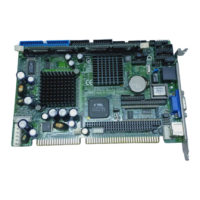
SBC82621 Socket370 Half-size All-in-One CPU Card User’s Manual
LCD Type
Although the system chipset already supports VGA and
LCD alike, BIOS Features Setup still expands this feature
further with the option to set any of the 15 LCD types. The
available options are:
Type 1/13 1024 x 768 DSTN
Type 2 1280 x 1024 TFT
Type 3 640 x 480 DSTN
Type 4 800 x 600 DSTN
Type 5 640 x 480 (16bit) TFT
Type 6 640 x 480 (24bit) TFT
Type 7 1024 x 768 TFT
Type 8/9/10 800 x 600 TFT
Type 11/12 800 x 600 DSTN
Type 14 1280 x 1024 DSTN
Type 15 1024 x 600 DSTN
CRT Screen Expansion
This option allows you to enlarge application screens to full
screen scale onto your display. However this option is not
inversely compatible, rendering no change when
applications screens have resolutions larger than the
display resolution. The available options are Enabled and
Disabled.
Display Type During/After POST
This item configures the viewing area for the POST
sequence. When configured to the incorrect display setting
or Both, it blankets the POST sequence from being viewed.
If you select Default, this option is useless and follows the
VGA BIOS settings. The available options are CRT Only,
LCD Only, Both, and Default.
Award BIOS Utility
33


 To Next Page