EasyManua.ls Logo

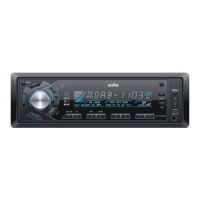
Axis Car Audio AX 1104DAB+ - User Manual

Axis Car Audio AX 1104DAB+
15 pages
Print Icon
To Next Page IconTo Next Page
Loading...
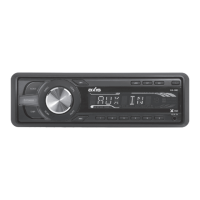
DAB+ / CD / MULTIMEDIA PLAYER RECEIVER

!"#$%&!'(()*+&'(
AX 1104DAB+
TUNER
- DAB+ Digital Tuner
- 1174.928MHz ~ 239.200MHz
- DAB+ Antenna
- PLL Synthesized AM/FM Stereo
- Xtreme Long Range Tuner
- FM 87.5~108 MHz; AM 522~1710 KHz
- Interference Absorption Circuit
- 30 Station Presets - 18FM/12AM Memory
- Station Seek / Scan / Auto Store
- Program Search
- Mono / Stereo
- Local / Distant Control
- Digital Clock
MULTIMEDIA
- USB Input: Front Panel
- SD - MMC Card Port: Behind Front Panel
- AUX-IN Socket: Front Panel
- Compatible with audio output of most
iPod and MP3 Players
MP3 / CD PLAYER
- Supports MP3 / CD / WMA / CDR /
CDRW Formats
- Electronic Shock Protection
- Zoom / Slow / Multi-Angle Viewing /
Last Position Memory
- Intro / Repeat / Random Play /
Track Up-Down
- Select Folder / Track / File Search
- Auto Load
AUDIO CONTROL
- Pop Up Rotary Encoder
- Electronic Volume / Balance / Bass / Treble /Fader
- Subwoofer Line Out
- Loud / Mute
- 4 Ch RCA Line Out - 4 Volt
- 4-Band DSP Settings
- Speaker Impedance 4-8 Ohm
- Max Power 40 Watts x 4 Ch
SPECIFICATIONS
GENERAL
- Flip Down Detachable Face Panel
- LCD Display
- Illuminated Controls (Blue)
- ISO DIN Mounting
- ISO Wiring Harness
- Dimensions:
(Chassis) 178W x 50H x 158D mm
(Nose Piece) 188W x 58H x 20D mm
- 12 Volt DC (11-16V) Negative Ground

Questions and Answers

Summary

Product Specifications

General Features

Details on physical dimensions, power supply, and mounting.

Tuner and Radio Capabilities

Specifications for DAB+, AM, and FM radio reception.

Multimedia and Audio Features

Supported media formats and audio control settings.

Safety Information

Precautions for Safe Operation

Crucial precautions for safe operation and handling of the device.

CD Handling Guidelines

Recommendations for handling CDs to prevent playback issues.

Panel Controls Overview

Power, Volume, and Sound Adjustment

Controls for power, volume, bass, treble, balance, and loudness.

Source and Band Selection

Buttons for switching between sources and radio bands.

Media and Radio Operation Controls

Functions for track playback, tuning, seeking, and station memory.

Display and Interface Controls

Buttons for display, remote sensor, local/distant, and panel release.

Other Instructions and Remote Control

Panel Operation and Eject

Procedures for opening, ejecting the panel, and resetting the unit.

Remote Control Operating Range

Information on the effective distance and angle for remote operation.

Remote Control Functions

Power, Volume, and Sound Adjustment

Remote buttons for power, volume, and sound settings.

Media Playback and Radio Functions

Remote buttons for controlling media playback and radio operations.

Battery Replacement and Safety

Instructions for replacing the remote battery and safety warnings.

USB;SD;MMC MP3 Playback

Loading and Removing Media

Steps for inserting and removing USB drives and SD/MMC cards.

USB;SD;MMC Compatibility Notes

Information on supported file systems and device compatibility.

Basic Operations

Disc Loading and Ejecting

Procedures for loading and ejecting discs from the unit.

Disc Playback and Seek Functions

How to play discs, skip tracks, and seek within tracks.

Clock Display and Setting

How to view and set the unit's clock.

Radio Operation

Band Selection and Tuning

Switching between radio bands and tuning stations manually or automatically.

Station Storage and Recall

Manually storing, recalling, and automatically scanning for stations.

DAB Operation

DAB Band Selection and Tuning

Switching DAB bands and tuning to stations.

DAB Station Storage and Seek

Storing DAB stations and seeking service names.

MP3 Playback Features

Displaying ID3 Tag Information

Viewing song title, album, and artist information for MP3 files.

Direct Song;File Access

Method for directly searching and playing specific MP3 tracks.

MP3 Playback and Overview

Searching MP3 Files by Name

How to search for MP3 files using character search.

MP3 Technology and Formats

Explanation of MP3 compression and supported file formats.

MP3 Overview and Anti-Theft

Creating MP3 CD-Rs;CD-RWs

Guidelines for creating MP3 discs, including file naming and ID3 tags.

Anti-Theft Panel Removal

Instructions for detaching the front panel to prevent theft.

Menu Function

Accessing and Navigating Submenus

How to enter and navigate through the unit's menu system.

DSP Sound Effect Settings

Customizing sound effects like POP, FLAT, CLASSIC, ROCK, OFF.

Beep, Volume, and Subwoofer Settings

Configuring beep sounds, volume modes, and subwoofer output.

Seek Mode and Clock Format

Adjusting radio seek modes and the 12/24 hour clock format.

Electrical Connections

Wiring Diagram

Visual guide for connecting the unit's wiring harness.

ISO Connector Pinout

Detailed breakdown of the ISO connector pins and functions.

Wiring Modification Note

Information on potential wiring modifications for specific car models.

Installation Guide

Installation Procedures and Reset

Steps for completing electrical connections and resetting the unit.

Unit and Panel Installation

Instructions for mounting the main unit and attaching the front panel.

Unit Removal Process

Steps required to safely remove the unit from the dashboard.

Troubleshooting

General Issues and Solutions

Common problems like no power or sound and their resolutions.

Radio and Disc Playback Issues

Troubleshooting for radio noise, preset loss, and disc playback errors.

USB;SD;MMC Readability Problems

Solutions for issues with inserting or reading USB and SD/MMC devices.

Detailed Specifications

General, Disc Player, and FM Radio Specs

Technical details for general operation, disc playback, and FM stereo.

AM Radio and DAB+ Digital Radio Specs

Technical specifications for AM/MW and DAB+ digital radio.

Component List

List of included components and accessories for installation.

Warranty Information

Consumer and Commercial Warranty Terms

Details on the warranty period, coverage, and exclusions.

Warranty Service and Information

How to obtain warranty service and required documentation.

Axis Car Audio AX 1104DAB+ Specifications

General IconGeneral
BrandAxis Car Audio
ModelAX 1104DAB+
CategoryCar Receiver
LanguageEnglish

Related product manuals