EN - 5
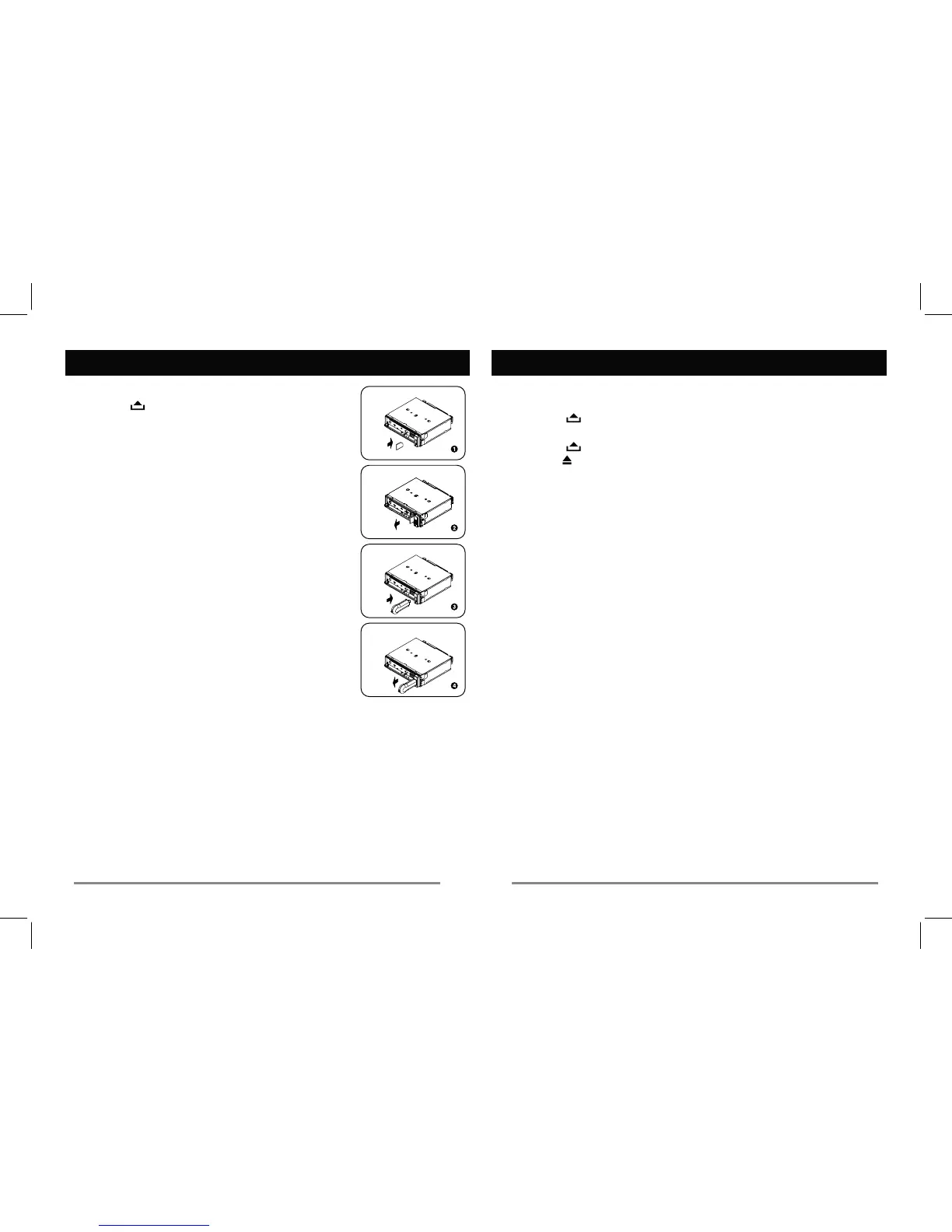
Press
,
the SD/MMC card into the slot, with the front
side WRWKH left. Close the panel7he unit will
automaticallySOD\WKHPXVLF
Press SRC button and switch to non CARD
mode2pen the panel 6lightly press the card
DQGUHPRYH the card whenUHOHDVHG.
3. Loading USB equipment
7he unit ZLOODXWRPDWLFDOO\playWhe USB
4.
Press the SRC button and switch to non USB-
7UHPRYHGHYLFH&
&ORVHWheSURWHFWLYH cap.
———————————————————————
USB/SD/MMC MP3 Playback
USB/SD/MMC Notes
6. Multi card reader not supportHG
Q:LOOSOD\
ZLWK86%
'XHWRWKHJUHDWYDULHW\RIUHFRUGLQJIRUPDWVZHFDQQRWJXDUHQWHHWKDW
Basic Operations
Disc Load / Eject
panel. Insert the disc into the slot.
panel. Press
— — — — — — — — — — — — — —
Disc Playback
briefly to go to the next or
previous track.
QH[W or previous track.
— — — — — — — — — — — — — —
AMS : Auto Memory Store
Press AMS briefly to scan
7
strongest available stationV will
be automatically saved in the
Viewing Clock
During Radio/Disc
Playback
Press DISP (once for Radio
mode or twice for other modes)
'isplay shows the time for
5 seconds.
— — — — — — — — — — — — — —
Setting The Clock
Press DISP, time displays. Press
time display blinks.
Rotate the knob clockwise to
set the hours 5otate the knob
counter-clockwise to set the
minutes3ress DISP again to exit
the clock setting.
DOONLQGVRI86%6'FDUGGHYLFHVDUHFRPSDWLEOHZLWKWKLVXQLW


 To Next Page