AXIS P1343-E Network Camera
PTZ (Pan Tilt Zoom)
PTZ (Pan Tilt Zoom)
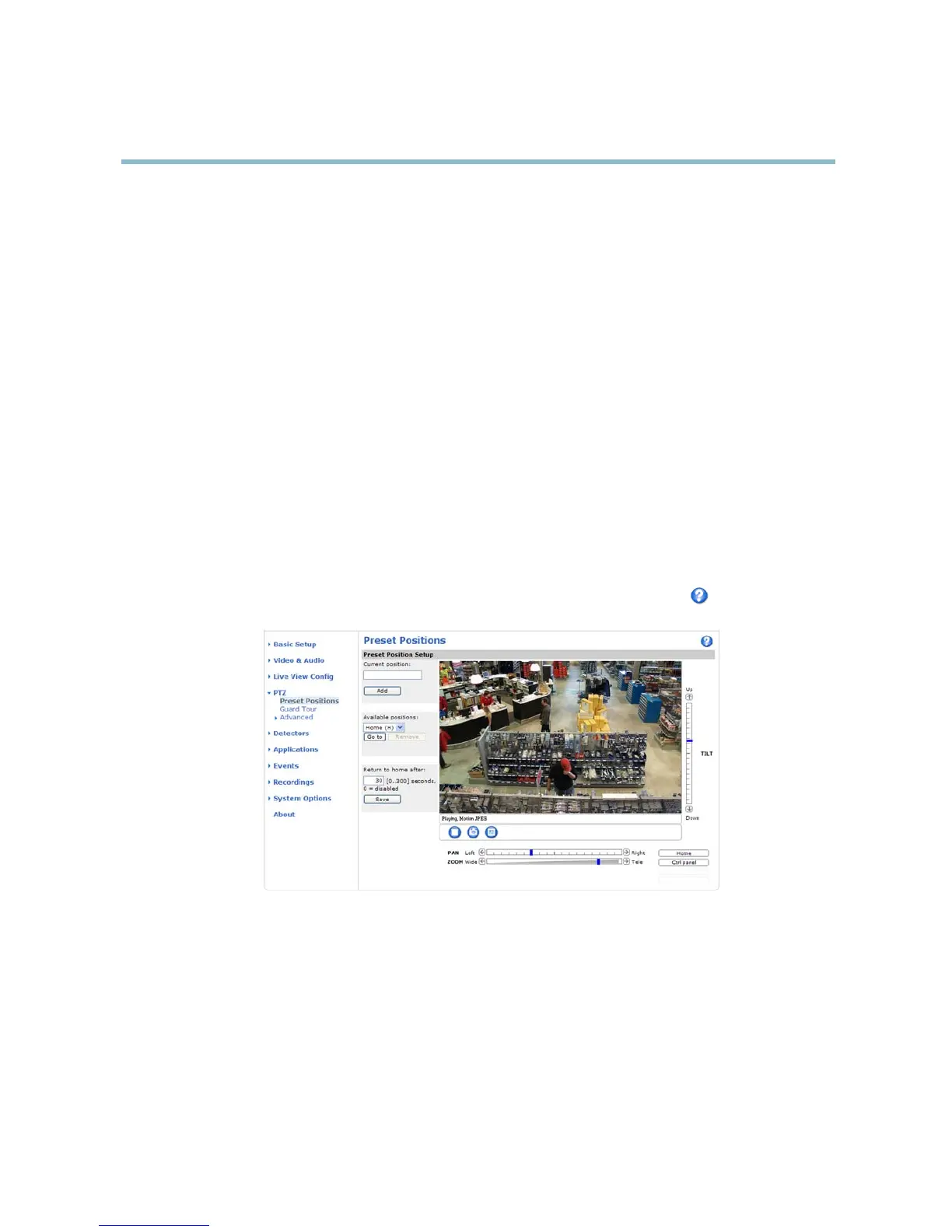
Preset Positi ons
A preset position is a predefined view that can be used to quickly steer the camera to a specific location. Preset positions can
be accessed in several ways:
• By selecting the preset from the Preset positions drop-down list in the Live View Page.
• When setting up action rules. See page 35.
• When setting up Guard Tour. See page 29.
To add a preset position:
1. Go to PTZ > Preset Positions.
2. Use the pan, tilt and zoom controls to steer the camera view to the desired position.
3. Enter a descriptive name in the Current position field.
The product can be configured to return to the Home position when the PTZ functionality has been inactive for a specified length
of time. Enter the length of time in the field and click Save. Set the time to zero to prevent the product from automatically
returning to the Home position.
To include the preset position name in the overlay text, go to Video & Audio,selectInclude overlay text and enter the modifi er #P in
the field. For more information about modifiers, see File Naming & Date/Time Formats intheonlinehelp
.
Guard Tour
A guard tour displays the video stre am from different preset positions, one-by-one, in a predetermined order or at random and for
config
urable time periods. The enabled guard tour will keep running after the user has logged off or closed the browser.
T
o add a guard tour:
1. Go to PTZ>GuardTourand click Add.
2. Enter a descriptive name.
3. Specify the pause length between runs.
29



 To Next Page