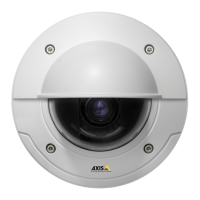
AXISP3346-VEFixedDomeNetworkCamera
Events
-Disruption–Triggertheruleifstorageproblemsaredetected,forexampleifthestoragedeviceisunavailable,
removed,full,lockedorifotherreadorwriteproblemsoccur.Thiscanforexamplebeusedtosendmaintenance
notications.
•System
-SystemReady–Triggertherulewhentheproducthasbeenstartedandallservicesarerunning.Thiscanfor
examplebeusedtosendanoticationwhentheproductrestarts.
•Time
-Recurrence–Triggertheruleperiodically.SeeRecurrencesonpage40.Thiscanforexamplebeusedtoupload
animageevery5minutes.
-UseSchedule–Triggertheruleaccordingtotheselectedschedule.SeeSchedulesonpage40.
Availableactionsinclude:
•Day/NightVisionMode–Setdaymode(IRcutlteron)ornightmode(IRcutlteroff).
•OutputPort–ActivateanI/Oporttocontrolanexternaldevice.
•OverlayText–Displayanoverlaytext.See.
•PlayAudioClip–SeeAudioClipsonpage25.
•PTZControl
-PresetPosition–Gotoapresetposition.
-GuardTour–Startaguardtour.SeeGuardTouronpage3
1.
•RecordVideo–Recordvideotoaselectedstorage.
•SendImages–Sendimagestoarecipient.
•SendNotications–Sendanoticationmessagetoarecipient.
•SendVideoClip–Sendavideocliptoarecipient.
•StatusLED–FlashtheLEDindicator.Thiscanforexamplebeusedtovalidatetriggerssuchasmotiondetectionduring
productinstallationandconguration.
SettingUpanActionRule
Anactionruledenestheconditionsthatmustbemetfortheproducttoperformanaction,forexamplerecordvideoorsendan
emailnotication.Ifmultipleconditionsaredened,allofthemmustbemettotriggertheaction.
Thefollowingexampledescribeshowtosetupanactionruletorecordvideotoanetworkshareifthereismovementinthe
camera’seldofview.
Setupmotiondetectionandaddanetworkshare:
1.GotoDetectors>MotionDetectionandcongureamotiondetectionwindow.Seepage33
2.GotoSystemOptions>Storageandsetupthenetworkshare.Seepage52.
Setuptheactionrule:
1.GotoEvents>ActionRulesandclickAdd.
2.SelectEnableruleandenteradescriptivenamefortherule.
3.SelectDetectorsfromtheTriggerdrop-downlist.
38



 To Next Page