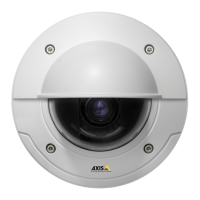
AXISP3346FixedDomeNetworkCamera
VideoandAudio
Day/Night
TheIRcutlterpreventsinfrared(IR)lightfromreachingtheimagesensor.Inpoorlightingconditions,forexampleatnight,orwhen
usinganexternalIRlamp,settheIRcutltertoOff.Thisincreaseslightsensitivityandallowstheproductto“see”infraredlight.The
imageisshowninblackandwhitewhentheIRcutlterisoff.
IfusingautomaticExposurecontrol,settheIRcutltertoAutotoautomaticallyswitchbetweenOnandOffaccordingtothe
lightingconditions.
ThecameralensisIRcorrected,whichmeansthatitmaintainsfocusinmixedlight,howeverasmallfocusadjustmentis
recommendedwhenIRilluminationisused.SelectEnablefocusadjustmentforIRilluminationtoautomaticallyadjustthefocus
whentheIRcutlterswitchesbetweenonandoff.
ViewArea
Aviewareaisacroppedpartofthefullview.EachviewareaistreatedasavideosourceinLiveViewandhasitsownvideo
streamandPTZsettings.
Whensettingupaviewareaitisrecommendedthatthevideostreamresolutionisthesamesizeasorsmallerthantheviewarea
size.Settingthevideostreamresolutionlargerthantheviewareasizeimpliesdigitallyscaledupvideoaftersensorcapture,
requiringmorebandwidthwithoutaddingimageinformation.
Toenable,gotoVideo&Audio>CameraSettingsandselectEnableViewAreas.
Toaddanewviewarea:
1.GotoVideo&Audio>ViewArea.
2.ClickAdd.
3.ThenewviewareaappearsunderSelectedviewarea.EnteradescriptivenameintheNameeld.
4.SelectanAspectratioandaVideostreamresolution.
5.Anewviewareacoversthewholeimage.Usethemousetomoveandresizetheviewarea.
6.SelectEnablePTZtoenabledigitalPTZfortheviewarea.
7.ClickSavetosavethesettings.
Tomodifyaviewarea,selecttheviewareainthelistandmodifythesettingsasrequired.ClickSave.
Toremoveaviewarea,selecttheviewareaandclickRemove.
Note
ThePTZfunctionalityisusefulduringinstallationoftheAxisproduct.Useaviewareatocropoutaspecicpartofthe
fullview.
Overlay
Overlaysareusedtoprovideextrainformation,forexampleforforensicvideoanalysisorduringproductinstallationand
conguration.Overlaysaresuperimposedoverthevideostream.
Anoverlaytextcandisplaythecurrentdateandtime,oratextstring.Whenusingatextstring,modierscanbeusedtodisplay
informationsuchasthecurrentbitrateorthecurrentframerate.Forinformationaboutavailablemodiers,seeFileNaming&
Date/TimeFormatsintheonlinehelp
.
Itisalsopossibletodisplaytextwhenanactionruleistriggered,see.
Toenableoverlays:
1.GotoVideo&Audio>VideoStreamandselecttheImagetab.
21



 To Next Page