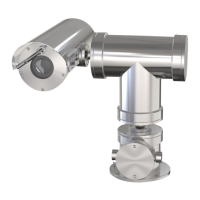
AXISQ1775NetworkCamera
etc.Whenasignalisreceivedthestatechangesandtheinputbecomesactive(shown
underSystemOptions>Ports&Devices).
PowerConnector
2-pinterminalblockforAC/DCpowerinput.
AudioConnector
TheAxisproducthasthefollowingaudioconnectors:
•Audioin(pink)–3.5mminputforamonomicrophone,oraline-inmonosignal.
•Audioout(green)–3.5mmoutputforaudio(linelevel)thatcanbeconnectedto
apublicaddress(PA)systemoranactivespeakerwithabuilt-inamplier.Astereo
connectormustbeusedforaudioout.
RS485/RS422Connector
TwoterminalblocksforRS485/RS422serialinterfaceusedtocontrolauxiliaryequipmentsuchas
pan-tiltdevices.
ControlButton
Forlocationofthecontrolbutton,seeHardwareOverviewonpage9.
Thecontrolbuttonisusedfor:
•Resettingtheproducttofactorydefaultsettings.Seepage19.
•Ensuringthecameraislevel.Pressthebuttonfornotmorethantwosecondstostartthe
levellingassistantandpressagaintostop.ThestatusLEDandbuzzersignal(seepage12)
assistlevellingofthecamera.Thecameraislevelwhenthebuzzerbeepscontinuously.
•ConnectingtoanAXISVideoHostingSystemserviceorAXISInternetDynamicDNS
Service.Formoreinformationabouttheseservices,seetheUserManual.
VideoOut
RCAconnectorsforcomponentorcompositevideoout.
•Componentvideoout(Y/Pb/Pr)forHDTVvideo,e.g.anentrancecameraconnected
toanHDTVscreen.
•Compositevideoout(CVBS)-foreasyinstallationusingavideomonitor.CVBSis
availablefor2minutesafterpressingthebuttonandshouldonlybeusedduring
installation.
13


 To Next Page