AXISQ2901-ETemperatureAlarmCamera
ThermalSettings
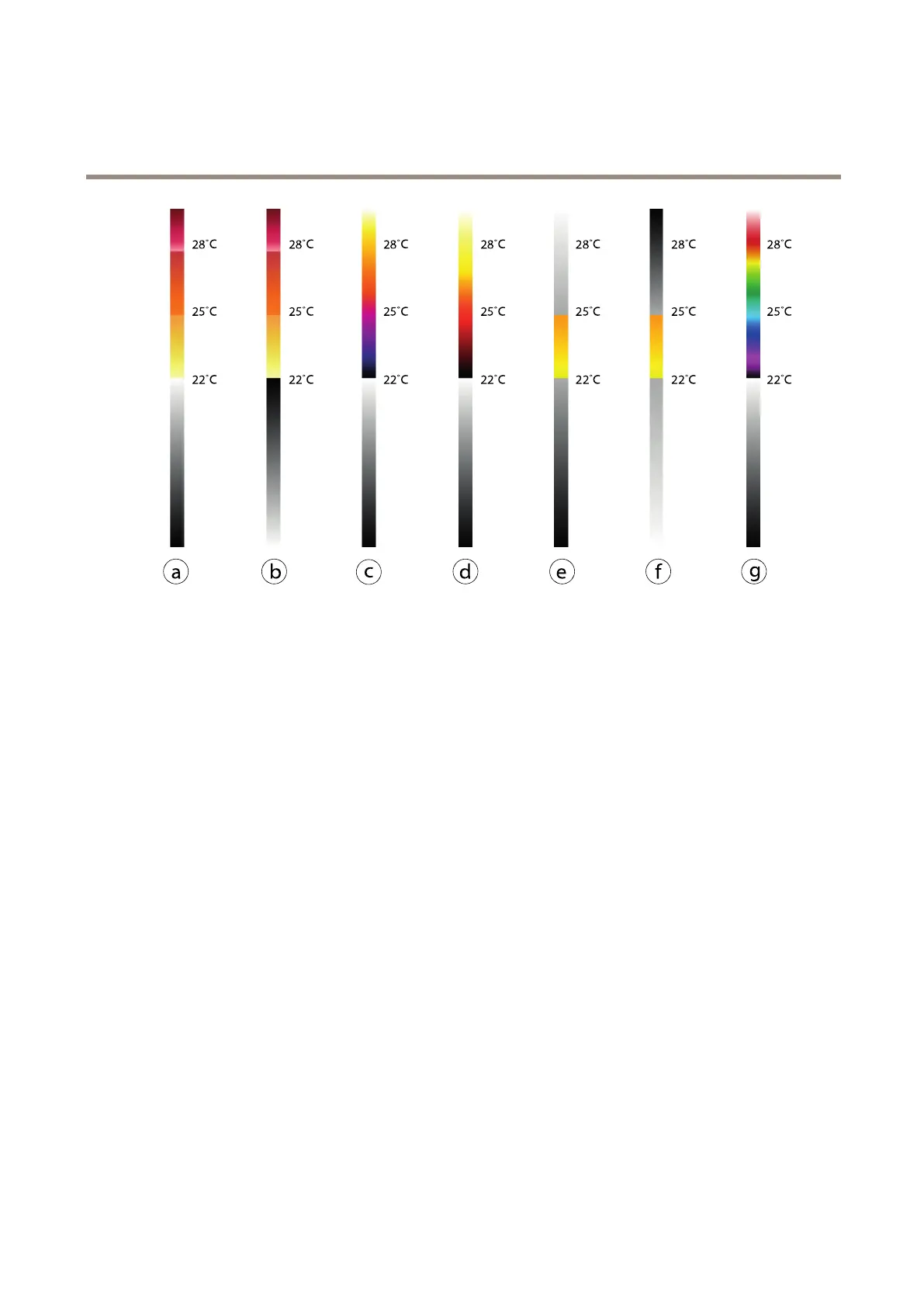
a
Iso-Fire-WH
bIso-Fire-BH
c
Iso-Planck-WH
dIso-Axis-WH
e
Iso-Midrange-WH
f
Iso-Midrange-BH
g
Iso-Rainbow-WH
SetupPalette
Tosetupapalettetohighlighttemperaturedifferencesintheimage:
1.GotoThermalSettings>IsothermalSettings
2.SelectapaletteinthePalettedrop-down-menu.
3.ClickSavetosaveyoursettingsandshowyourpaletteintheverticalbar.
SetupIsothermPalette
Tosetupanisothermalpalettethatisolatespredenedcolorstoselectabletemperaturelevelsintheimage:
1.GotoThermalSettings>IsothermalSettings
2.SelectEnableisotherm(thedefaultPalettedrop-down-menuisdisabled).
3.SelectanIsothermpaletteinthedrop-down-menu.
4.EnteryourtemperaturelevelsintheLevelelds:
-Upper:Thislevelcorrespondstotheuppercolorindicatedintheverticalbar.
-Middle:Thislevelcorrespondstothemiddlecolorindicatedintheverticalbar.
-Lower:Thislevelcorrespondstothelowercolorindicatedintheverticalbar.
5.ClickSavetosaveyoursettingsandshowtheisothermpaletteandyourdenedlevelsintheverticalbar.
26


 To Next Page