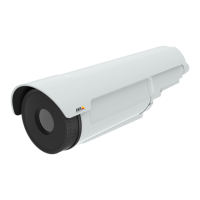
AXISQ2901-ETemperatureAlarmCamera
Detectors
MaterialEmissivity
Asphalt
0.93
Charcoal
0.96
Cloth
0.95
Concrete
0.94
Foodstuff
0.80-0.90
Graphite
0.97
Metals(unoxidized)
<0.10
Oilpaint(valuemayvarydependingonpainttypes)
0.92-0.96
Paints(valuemayvarydependingoncolor)
0.90-0.96
Plastics(valuemayvarydependingonsurfacenishandpainttypes)
0.92-0.95
Porcelain(glazed)
0.92
Rubber(hard)
0.94
Rubber(soft)
0.86
Skin(human)
0.98
Soil
0.93
Tape(electrical)
0.95-0.97
Tarpaper
0.93
Textiles
0.94
Wood(valuemayvarydependingonwoodtype,nishetc.)
0.90-0.95
ShockDetection
EnableShockDetectionfromtheDetectorsmenu.Shockdetectionisused,forexample,togenerateanalarmiftheproductishit
byanobjectoriftheproductistamperedwith.
UsetheShocksensitivityslidertoadjustthesensitivitylevelatwhichtheproductshouldsendanalarm.Lowsensitivityvalue
impliesthattheproductwillgenerateanalarmonlyifthehitispowerful.Ahighsensitivityvalueimpliesthattheproductwill
generateanalarmevenwithmildtampering.
AudioDetection
TheAxisproductcanbeconguredtogenerateanalarmwhenaudiorisesaboveorfallsbelowthethresholdvalue.Thethreshold
valuecanbesetintherange0–100where0isthemostsensitiveand100theleastsensitive.
1.GotoDetectors>AudioDetection.
2.SettheaudioalarmlevelandclickSave.
3.GotoEvents>ActionRulesandsetupanactionrule,seeSetUpActionRulesonpage43.
DetectedaudioisindicatedbycoloredpeaksintheActivityindicator.Aneventistriggeredwhendetectedaudiorisesaboveorfalls
belowthethresholdvalue,whichisrepresentedbythebar.
35


 To Next Page