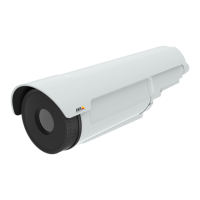
AXISQ2901-ETemperatureAlarmCamera
Detectors
Detectors
TemperatureDetection
Temperaturedetectionisusedtogenerateanalarmwheneverthetemperaturechangesaccordingtodenedconditions:
•Thetemperaturerisesaboveaspeciedtemperature
•Thetemperaturefallsbelowaspeciedtemperature
•Thetemperatureincreasesaboveaspeciedrate
Temperaturedetectionissetbyconguringuptosixtemperaturedetectionzonesinthecameraview.Oncetemperaturedetection
zonesarecongured,theAxisproductcanbeconguredtoperformactionswhentemperaturechangesaredetected.Possibleactions
includedisplayofoverlaytextandstartrecording.Formoreinformation,seeSetUpActionRulesonpage43.
Note
Todetecttemperaturesabove150°C(302°F),theareaabovethistemperatureareamustbelargerthan3%oftheexposure
zone.Toresizetheexposurezone,seeExposureSettingsonpage21.
SetupTemperatureDetectionZones
Tosetupatemperaturedetectionzonewithdetectionconditionsthatapplyforactionrules,followtheseinstructions:
BasicSettings
1.GotoDetectors>TemperatureDetection
2.ClickNewtocreateanewzoneandenteradescriptivename.
3.Adjustthezonesize(dragtheframe)andthezoneposition(clickonthetextatthetopanddragtothedesiredposition).
4.SelecttheDetectionTypeforthezone:
-Above(A):Triggersifthetemperaturerisesabovethelevel(C)thatyouhavesetintheDetectionTemperature
eld.Bydefault,maximumtemperatureinthezoneisusedasthebasefortemperaturedetection.
30


 To Next Page