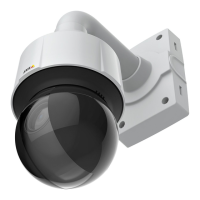
AXISQ6155-EPTZDomeNetworkCamera
AccesstheProduct
ClicktheCtrlpanelbuttontoopenthePTZcontrolpanelwhichprovidesadditionalPTZcontrols.
User-denedbuttonscanalsoappearintheControlpanel.SeeControlsonpage31.
Selectarecordedtourandclicktoplayapreviouslyrecordedtourandclicktostop.See
TourRecordingonpage29.
SelectaPTZpresetpositiontosteerthecameraviewtothesavedposition.SeeAboutpreset
positionsonpage26.
ClicktheStartAutoTrackbuttontostartautotrackingdirectlyfromtheLiveViewpage.See
Autotrackingonpage27.
PanandTiltbars–Usethearrowstopanandtiltthecameraview,orclickonapositiononthebartosteerthecameraviewto
thatposition.
Zoombar–Usethearrowstozoominandout,orclickonapositiononthebartozoomtothatposition.
Focusbar–Usethearrowstofocusthecamera,orclickonapositiononthebartosetthefocusposition.Usingthefocusbarwill
disabletheproduct’sautofocus.Tore-enable,usethePTZcontrolpanelwhichisopenedbyclickingtheCtrlpanelbutton(seeabove).
Irisbar–Clickonapositiontosetamanualexposureleveltomaketheimagebrighterordarker.Thiswilldisableautoiris(automatic
exposure)andsetxedlevelsoniris,gainandshutterspeed.Tore-enableautoiris,usethePTZcontrolpanelwhichisopenedby
clickingtheCtrlpanelbutton(seeabove).Ifautoirisisenabled,AutoisvisiblenexttotheIrisbarbar.
Important
InanenvironmentwithvaryinglightconditionsitisrecommendedtousetheBrightnessbarinsteadoftheIrisbartoadjust
imagebrightnesssincechangingthebrightnesslevelwillnotdisableautoiris(automaticexposure).
Brightnessbar–Clickonapositiononthebrightnessbartoadjusttheimagebrightness.Thissettingwillnotbesaved.Tomakea
savedchange,gotoSetup>Video>CameraSettings>Brightnessandadjustthebrightness.
ThePTZcontrolscanbedisabledunderPTZ>Advanced>Controls,seeControlsonpage31.
Aboutlaserfocus
Note
ThisproductfulllsLaserSafetyRegulationsIEC/EN60825-1Class1Ed.3(2014),whichmeansit'sharmlessforthe
humaneye.
Thelasermeasuresthedistancetoanobject.Thecamerathenusesthatdistanceasafocusreferencepoint.Yougetthebestfocus
inthecenteroftheimage.Moreover,thefocusperformancedependsontheweatherconditions,thecleannessofthedome,and
thereectionvalueoftheobject.Forexample,amirrororawindowcandistractthelaser.InB/Wmodeandinsituationswith
insufcientobjectreections,thecamerausestheautofocusinstead.
Thelaserfocusisalwaysenabled.
12



 To Next Page