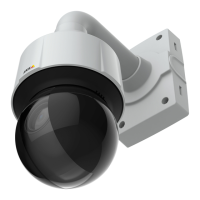
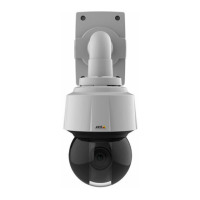
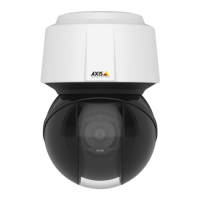
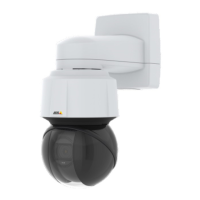
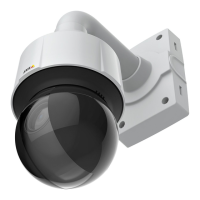
AXISQ6155-EPTZDomeNetworkCamera
Video
2.UsetheslidertosetthePrioritybetweenLowmotionblurandLownoise.Whenprioritizinglowmotionblur(slider
allthewaytotheright)thecameraautomaticallyincreasesgainasbrightnessdecreases.Whenthegainreachesthe
setmaximumgainforlowlight,thecamerawilldecreaseshutterspeeduntilthesetmaximumshutterforlowlightis
reached.Thisisthedefaultprioritysettingforlowlight.
3.SelecttheMaxgainvaluefromthedrop-downlist.Thisdenestheupperlimitforgaininthecontextofnormallight.
4.Maxfastshuttersetsshutterspeedlimitinnormallightconditions.Dependingonthescenario,theshutterspeedlimit
mayneedtobedened.ThisisdonethroughSystemOptions>Advanced>PlainCong.
ImageSettings
Noisereduction-SettoOntoenablenoisereduction.Noisereductionmayincreasetheamountofmotionblur.
Stabilizer-Whenmonitoringenvironmentsthataresubjecttovibrations(e.g.trafccontrol),imagesmayappeartobeunsteady.
SelectOntosteadytheimage.Seetheonlinehelp
formoreinformation.
ImagefreezeonPTZ-SelectAllmovementstofreezetheimagewhilethecameraismovingduringapan,tiltorzoomoperation.
Oncethecamerareachesitsnewposition,theviewfromthatpositionisshown.Presetsfreezestheimageonlywhenthecamera
movesbetweenpresetpositions.
Day/Night
TheIRcutlterpreventsinfrared(IR)lightfromreachingtheimagesensor.Inpoorlightingconditions,forexampleatnight,orwhen
usinganexternalIRlamp,settheIRcutltertoOff.Thisincreaseslightsensitivityandallowstheproductto“see”infraredlight.The
imageisshowninblackandwhitewhentheIRcutlterisoff.
IfusingautomaticExposurecontrol,settheIRcutltertoAutotoautomaticallyswitchbetweenOnandOffaccordingtothe
lightingconditions.
TheDay/Nightshiftlevelbarhelpsdeterminewhenthecamerawillshiftfromdaymodetonightmode.Normally,thecamera
automaticallychangesmodefromdaytonightwhenverydark(level100intheslider).BysettingDay/Nightshiftleveltoa
lowervalue,thecamerawillchangetonightmodeearlier.
Aboutoverlays
Overlaysaresuperimposedoverthevideostream.Theyareusedtoprovideextrainformationduringrecordings,suchasatimestamp,
orduringproductinstallationandconguration.
Aboutoverlaytext
Anoverlaytextcanincludethecurrentdateandtime,oratextstring.Whenusingatextstring,so-calledmodierscanbeusedto
display,forexample,thenameofthecurrentweekormonth.
Youcanchoosebetweenthefollowingtextoverlaysizes:
Size
TextheightBackgroundheight
Small
10pixels20pixels
Medium16pixels28pixels
Large21pixels36pixels
Itisalsopossibletodisplaytextwhenanactionruleistriggered,seeHowtoincludeoverlaytextinanactionruleonpage22.
Howtoincludeoverlaytext
1.GotoVideo>VideoStreamandselecttheImagetab.
2.Toincludedateandtime,selectIncludedateandIncludetime.
21



 To Next Page