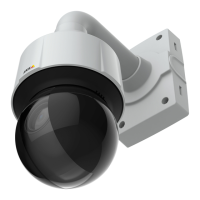
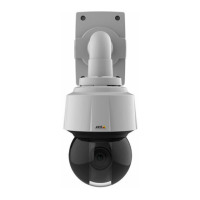
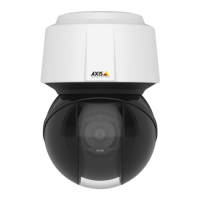
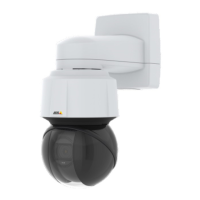
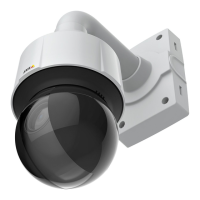
AXISQ6155-EPTZDomeNetworkCamera
Video
ExposureSettings
Exposureistheamountoflightthecamera’ssensorcapturesforascene.Toomuchlightresultsinawashedoutimageandtoo
littlelightresultsinadarkimage.
Exposurevalue-UsetheExposurevalueslidertoadjusttheoverallbrightnessoftheimage.
Exposurezones-Thissettingdetermineswhichpartoftheimageisusedtocalculatetheexposure.Formostsituations,theAuto
settingcanbeused.
YoucanselectapredenedareabydeningIncludeandExcludewindowswithintheimage.Excludewindowsexcludeareasthatare
toobrightordark,andIncludewindowsincludeareasinthescenethathavebetterlightingwhichwillcontributetotheexposuredata.
TheremustbeatleastoneIncludewindow.TherecanbeatotaloftenIncludeandExcludewindowstotailortheexposurezone.
NotethatanExcludewindowiseffectiveonlywhenplacedinsideanincludewindow.
Tip:IfanareaisextremelybrightdrawanIncludewindowtocoverthewholeareaanddeneExcludewindowswithinitto
blockoutthebrightareas.
Shutter&Gain
Theshutterandgainsettingsaffecttheamountofmotionblurandnoiseintheimage.Toadapttodifferentlighting,available
storagespaceandbandwidth,itisoftennecessarytoprioritizeeitherlowmotionblurorlownoise.TheAxisproductallowsdifferent
prioritizationinnormallightandinlowlight.
Shutterspeedisrelatedtotheamountoftimetheshutterisopenedandismeasuredinseconds(s).Aslowshutterspeedallows
morelighttoreachthesensorandcanhelpproduceabrighterimageinlowlightsituations.Ontheotherhand,aslowshutter
speedcancausemovingobjectstoappearblurry.
SetWideDynamicRangetoWDROffandsetShutterto
•Autotosettheshutterspeedautomatically.Ifrequired,useMaxshuttertolimittheshutterspeedtopreventtheframe
ratefrombeingreduced.
•Fixedtouseaxedshutterspeed.
Gain,measuredindecibel(dB),istheamountofamplicationappliedtotheimage.Ahighgainmayprovideabetterimageinlow
lightsituationsbutwillincreasetheamountofimagenoise.
SetGainto
•Autotosetthegainautomatically.Ifrequired,useMaxgaintolimittheappliedgain.
•Fixedtouseaxedgain.
Example
Ifstoragespaceorbandwidthislimited,tryusingalowergain.Thiswillreduceimagenoiseandproducesmallerimageles.
Howtosetupnormallightandlowlight
WhenShutterandGainarebothsettoAuto,itispossibletosetthePrioritybetweenlowmotionblurandlownoisemanuallyandto
useadifferentPriorityinNormalLightandinLowLight.
Example
Consideranareawherepeopleorvehiclesmoveduringtheday,butwherethereshouldbenomovementsduringnight.Tobeableto,
forexample,recognizefacesorlicenseplates,movethenormallightpriorityslidertowardlowmotionblur.Atnighttime,motion
detectionismoreimportantthanidentication.Motionblurisacceptableandsincelowlightcancausealotofnoise,move
thelowlightpriorityslidertowardlownoise.
Normallightpriority
1.UsetheslidertosetthePrioritybetweenLowmotionblurandLownoise.Whenprioritizinglownoise(slideralltheway
totheleft)theAxisproductwillautomaticallydecreaseshutterspeedasbrightnessdecreases.Whentheshutterspeed
reaches1/30sthecameraproductincreasesgainuntilthesetmaximumgainfornormallightisreached.
Lowlightpriority
20



 To Next Page