
 Need help?
Do you have a question about the Axis S3008 and is the answer not in the manual?
Explains the preview mode for fine-tuning camera views during installation.
Guide to setting up the AXIS Companion software for the recorder.
Steps to create and secure a My Axis account for device management.
Instructions for physically installing the recorder and connected cameras.
Guide to downloading and installing the AXIS Companion desktop application.
Process for creating a site within AXIS Companion to manage devices.
Instructions for installing and using the AXIS Companion mobile application.
Information and management of Power over Ethernet allocation.
Performing device maintenance tasks like restarting and restoring settings.
Process for upgrading the device's firmware to the latest version.
Configuring how Power over Ethernet (PoE) power is allocated to connected devices.
General troubleshooting steps for common problems with the recorder.
Detailed steps for performing a firmware upgrade on the recorder.
Procedure for performing a hard reset to restore factory default settings.
Steps to format the hard drive and erase all recorded data.
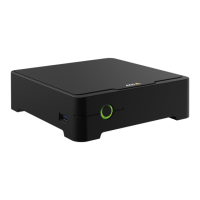
The AXIS S3008 Recorder is a compact network video recorder designed for surveillance solutions, featuring a built-in Power over Ethernet (PoE) switch for simplified installation. It comes equipped with a surveillance-grade hard drive and a USB port for convenient video footage export. The recorder is available in three models, offering 2 TB, 4 TB, or 8 TB hard drive capacities.
The primary function of the AXIS S3008 Recorder is to manage and record video from connected cameras. It acts as a central hub for a surveillance system, providing both power and network connectivity to up to eight devices via its integrated PoE switch. The recorder is designed to work seamlessly with version 4 of the AXIS Companion video management software, enabling comprehensive video management, recording, and remote access capabilities.
The device supports various network configurations, including automatic and manual IPv4 and IPv6 address assignment, hostname configuration, and DNS server settings. It also integrates with network discovery protocols like Bonjour®, UPnP®, and WS-Discovery for easy identification on the network. A key feature is the One-click cloud connection (O3C), which provides secure internet access to live and recorded video from any location, simplifying remote monitoring.
For security, the recorder utilizes certificates for device authentication on a network, supporting both client/server and CA certificates in .PEM, .CER, and .PFX formats. It also supports IEEE 802.1x for port-based network admission control, ensuring secure authentication of wired and wireless network devices.
The recorder's PoE switch is capable of supplying power to connected cameras, with a total power budget of 65 W for 2 TB and 4 TB models, and 60 W for the 8 TB model. Each network port supports up to 15.4 W (PoE Class 3) at the PoE port (PSE) and 12.95 W on the camera side (PD). Power allocation can be managed either by PoE class, where each port automatically reserves power based on the connected device's class, or by LLDP (Link Layer Discovery Protocol), which allows for a more precise power reservation based on exchanged PoE information. LLDP is always active on the AXIS S3008 Recorder, but must be enabled on connected devices for optimal power allocation.
The AXIS S3008 Recorder offers a user-friendly interface accessible via a web browser by typing the device's IP address. The interface includes a main menu for navigation, product help, language selection, and theme customization (light or dark). A user menu provides information about the logged-in user, options to change users, and log out. A context menu offers access to analytics data, feedback submission, legal information, device details (firmware version, serial number), and an option to switch to a legacy device interface.
A "Preview mode" is available for installers, allowing fine-tuning of camera views during installation without requiring a login. This mode is accessible only in a factory-defaulted state for a limited time after powering up the device.
The recorder integrates with the AXIS Companion mobile app, enabling users to access devices and recordings remotely, receive notifications for suspicious events, or respond to intercom calls.
The device's status can be monitored through the web interface, which displays NTP synchronization information, ongoing recordings with their sources and storage space usage, and general device information.
The "Apps" section allows users to install new applications, find more apps from Axis, and manage installed apps. This includes starting/stopping apps, accessing their settings, viewing open-source licenses, checking app logs, and activating/deactivating/deleting licenses.
Maintenance of the AXIS S3008 Recorder is facilitated through several features accessible via the device interface.
The "System" section includes "Date and time" settings, where users can synchronize the device's time with an NTP server, either automatically via DHCP or by manually entering NTP server IP addresses.
The "Storage" section provides detailed information about the hard drive, including free space, status (mounted/unmounted), file system, encryption status, temperature, and overall health. Tools are available for checking and repairing the storage device for errors, formatting the disk (which erases all recordings), encrypting or decrypting stored data, changing the disk encryption password, and unmounting the device. A "Write protect" feature can be enabled to prevent the storage device from being overwritten, and "Autoformat" ensures the disk is automatically formatted using the ext4 file system.
The "Logs" section allows for the management of the SSH server, enabling secure remote login and network services.
The "Maintenance" page offers options for device management:
For troubleshooting, the device provides status indicators:
In case of technical issues, the manual provides a troubleshooting guide with common problems and solutions, such as recordings not being available, connection issues, or "No contact" error notifications. It emphasizes checking power, internet connection, network functionality, and ensuring updated firmware and software. A hard reset procedure is detailed for returning cameras and the recorder to factory default settings, noting that recordings are not removed. If the hard drive is encrypted, it must be manually mounted after a reset. The manual also describes how to erase all recordings and how to save a system report for Axis technical support.
 General
| Product color | Black |
|---|---|
| Compatible products | CISPR 24, CISPR 35, EAC, EN 55024, EN 55032 A, EN 61000-3-2, EN 61000-3-3, EN 61000-6-1, EN 61000-6-2, FCC 15 B A, ICES-003 A, KC KN32 A, KC KN35, RCM AS/NZS CISPR 32 Class A, VCC1 A IEC/EN 62368-1, UL 62368–1 IEC 60068-2-1, IEC 60068-2-14, IEC 60068-2-2, IEC 60068-2-27, IEC 60068-2-6, IEC 60068-2-78, IEC/EN 60529 IP3X |
| HDD capacity | 4000 GB |
| HDD interface | - |
| Maximum storage capacity | - TB |
| Number of HDDs installed | 1 |
| Wi-Fi | No |
| DC-in jack | Yes |
| Networking standards | IEEE 802.1x, IEEE 802.3af, IEEE 802.3at |
| Ethernet LAN data rates | 10, 100, 1000 Mbit/s |
| Ethernet LAN (RJ-45) ports | 9 |
| Supported network protocols | IPv4/v6, HTTP, SSL/TLS, QoS SFTP, SMTP, Bonjour, UPnP, DNS, NTP, TCP, UDP, IGMP, ICMP, DHCP, ARP, SSH |
| Storage temperature (T-T) | -40 - 65 °C |
| Operating temperature (T-T) | 0 - 45 °C |
| Storage relative humidity (H-H) | 5 - 95 % |
| Operating relative humidity (H-H) | 10 - 85 % |
| Audio system | 1-way |
| Video codecs | H.264 (MPEG-4 Part 10/AVC), H.265 (MPEG-H Part 2/HEVC) |
| Input bandwidth | 160 Mbit/s |
| Maximum resolution | - pixels |
| Video input channels | - channels |
| Output current | 1.88 A |
| Output voltage | 48 V |
| AC input voltage | 100-240 V |
| AC input frequency | 50-60 Hz |
| Power consumption (max) | 90 W |
 Weight and Dimensions
| Width | 180 mm |
|---|---|
| Height | 53 mm |
| Weight | 1350 g |

 To Next Page


