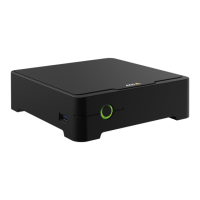
AXISS3008Recorder
Troubleshooting
2.Checkthatyouareconnectedtotheinternet.
3.Checkthatthenetworkisworking.
4.Checkthatthecamerasareconnectedtothesamenetworkasthecomputer,unlessyouareremote.
Stillnotworking?
5.Makesurethatyourcameras,recorderandAXISCompaniondesktopapphavethelatestrmwareandsoftwareupdates.
SeeUpgradermwareonpage26.
6.RestarttheAXISCompaniondesktopapp.
7.Restartyoucamerasandrecorder.
Stillnotworking?
8.Makeahardresetonthecamerasandtherecorder,tocompletelyputthembacktofactorydefaultsettings.
SeeHardresetarecorderonpage26.
9.Addtheresetcamerastoyoursiteagain.
Stillnotworking?
10.Updateyourgraphicscardwiththelatestdrivers.
Stillnotworking?
11.SaveasystemreportandcontactAxistechnicalsupport.
SeeSaveasystemreportonpage27.
Upgradermware
Newrmwareupdatesbringyoutothelatestandimprovedsetoffeatures,functions,andsecurityenhancements.
1.Gototheleaderdevicewebpage.
2.GotoSystem>MaintenanceandclickUpgradeunderFirmwareupgrade.
3.Followtheinstructionsonthescreen.
Hardresetarecorder
Important
Movetherecordercarefullywhileit’sswitchedon.Suddenmovesorshocksmaydamagetheharddrive.
Note
•Ahardresetwillresetallthesettings,includingtheIPaddress.
•Ahardresetwillnotremoveyourrecordings.
1.Switchofftherecorder:
Pressthepowerbuttononthefrontoftherecorderfor4-5secondsuntilyouhearabeep.
2.Waituntiltherecorderisswitchedoff,thenturnitovertoaccessthecontrolbutton.
3.Pressandholdthecontrolbutton.Pressandreleasethepowerbuttontostarttherecorder.Releasethecontrolbutton
after15-30secondswhentheLEDindicatorashesamber.
26


 To Next Page