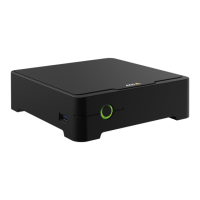
AXISS3008Recorder
Getstarted
Getstarted
Towatchthisvideo,gotothewebversionofthisdocument.
help.axis.com/?&piaId=63362§ion=about-your-device
TheAXISS3008Recorderisusedwithversion4oftheAXISCompanionvideomanagementsoftware.
GetstartedwithAXISCompanion
Note
Internetaccessisrequiredduringthesystemsetup.
Installationoverview:
1.RegisteraMyAxisaccountonpage4
2.Installthehardwareonpage5
3.Installthedesktopapponpage5
4.Createasiteonpage5
5.Installthemobileapponpage6
Resultofsysteminstallation:
•ThermwareisupgradedonallAxisdevices.
•Apasswordissetforthedevices.
•Therecordingsareenabledwithdefaultsettings.
•Theremoteaccessisenabled.
RegisteraMyAxisaccount
RegisteraMyAxisaccountataxis.com/my-axis/login.
YoucanmakeyourMyAxisaccountmoresecurebyactivatingmulti-factorauthentication(MFA).MFAisasecuritysystemthat
addsanotherlayerofvericationtoensuretheuser’sidentity.
ActivateMFA:
1.LoginwithyourMyAxiscredentials.
2.GotoandselectAccountsettings.
4


 To Next Page