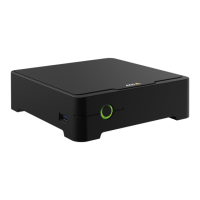
AXISS3008Recorder
Getstarted
3.ClickSecuritysettings
4.Turnon2–Stepverication.
Youareredirectedtoaloginpage.
5.LoginwithyourMyAxiscredentials.
MFAisnowactive.
LoginwhenMFAisactive:
1.LogintoyourMyAxisaccount.
Anemailissenttoyou.
2.OpentheemailandclickAuthenticate.
Ifyoudidn’treceiveanemail,checkifit’sinyourspamfolder.Ifit’snotthere,contactITsupport.
Installthehardware
1.Installyourcamerahardware.
2.ConnecttherecordertoyournetworkviatheLANport.
Note
Ifyouhavenorecorder,thenyouneedacamerawithanSDcardifyouwanttobeabletorecordvideo.
3.Connectthecamerastotherecorder’sintegratedPoEswitchoranexternalPoEswitch.
4.Connectthecomputertothesamenetworkastherecorder.
5.Connectthepowersupplytotherecorder.
Important
Youmustrstconnectthepowercordtotherecorder,andthenconnectthepowercordtothepoweroutlet.
6.Waitafewminutesfortherecorderandcamerastobootupbeforeproceeding.
CAUTION
Keeptherecorderinawellventilatedenvironmentandwithplentyofemptyspacearoundtherecordertoavoidoverheating.
Installthedesktopapp
1.Gotoaxis.com/products/axis-companionandclickDownloadtodownloadAXISCompanionversion4forWindows.
2.Openthesetupleandfollowthewizard.
3.SigninwithyourMyAxisaccount.
Createasite
Asiteisasinglepointofentrytoasurveillancesolution,forexampleallcamerasinastore.Youcankeeptrackofseveralsites
throughasingleMyAxisaccount.
Note
IfyouhaveusedanearlierversionofAXISCompanion,thesitesyoucreatedwillnotappearinthelistofsitesin
AXISCompanionversion4.Youmightalsohavedevicesthatarenotsupported.Seeformoreinformation.
1.StarttheAXISCompaniondesktopapp.
5


 To Next Page