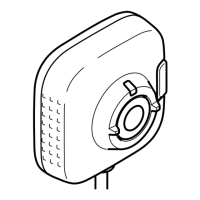
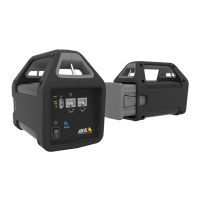
Axisbodywornsolution
Configureyoursystem
Turnontorecordthecamera’sposition.
Turnofflocationdataforindooruse.
Locationincreasespowerconsumption.
PowersavingmodePowersavingmodelimitslocation
modetoStartandendonly.Toallow
continuouspositionupdatesinthe
overlay,turnPowersavingmodeoff.
Location
AssistedGNSS(ephemeris)enabled
Mode•None–Locationisoff.
•Startandend–Recordthe
geographicalpositionofthe
camerawhenandwherea
recordingstartsandends.
•Track(AXISW101only)–
Continuouslyrecordthe
geographicalpositionof
thecamerathroughoutthe
wholerecording.Trackmode
isavailableonlyifsupported
bythecontentdestination.
Frontbutton
Chooseoneofthefollowingwaystostart
arecording:
•Singlepress
•Doublepress.Thissetting
alsoappliestoAXISTW1201
ifconnectedtoAXISW101.
Recordingactivation
FalldetectionTurnontostartarecordingwhenthe
cameradetectsafall.
Frontrecordingindicator
Chooseifyouwantthefrontrecording
indicatortobe
•Steady
•None
•Flash
duringrecording.
WhenAXISTW1201MiniCubeSensor
isconnected,thisbehaviorisappliedto
theminicubesensor’sfrontrecording
indicator.
Alert
Choosecamerafeedbackforstartingand
stoppingrecordings:
•Vibration
•Sound
•Soundandvibration
PeriodicreminderwhenrecordingisonThecameravibratesperiodicallywhile
recording.Thisworksasareminder
aswellasaconrmationthatthe
cameraisrecording.Thisismainly
suitableforincidentbasedrecording.
Selectapreferredintervalforthe
periodicreminder,orturnitoff.Turn
onEscalatingtograduallyreducetime
betweenreminders.
Feedback
13


 To Next Page