Axisbodywornsolution
Configureyoursystem
Periodicreminderwhenrecordingisoff
Thecameravibratesandbeeps
periodicallywhenrecordingisoff.
Thisismainlysuitableforcontinuous
recordingsinceitremindstheuserto
startrecordingagain,forexample,after
takingabreak.Selectapreferredinterval
fortheperiodicreminder,orturnitoff.
TurnonEscalatingtograduallyreduce
timebetweenreminders.
AllowsilentmodeAllowthecamerausertoturnoffthe
display,frontrecordingindicator,and
alerts.
Camerafeatureaccess
AllowmicrophonemuteAllowthecamerausertoturnoffaudio
recording.
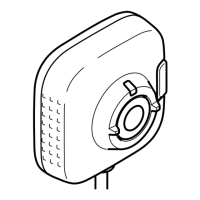
AXISTW1201MiniCubeSensor
Disablemaincamerafrontbutton
Disablesthemainbodyworncamera'sfrontbutton(used
tostartandstoprecordings)whentheminicubesensoris
connected.Selectthisoptionifyouwanttousetherecording
buttonontheminicubesensoronly.
Rotateimage180degreesTheabilitytorotatetheimagegivesyouaddedmounting
exibilityfortheminicubesensor.
AXISBodyWornAssistant
Allowaccesstorecordings
Choosewhetherthecamerauserisallowedtoviewrecordings
inAXISBodyWornAssistant,ornot.
Createauser
Abodywornuserinthesystemisthelinkbetweenarecordingandthepersonusingabodyworncamera.
Tocreateauser:
1.GotoUsers.
2.Click
toaddanewuser.
3.Enteruserinformation:
3.1Nameoftheuser(canbeshownintheoverlay).
3.2User'suniqueIDwithintheorganization(canbeshownintheoverlay).
3.3Optionally,entertheAXISCaseInsightusername.
Note
•Thisoptionispresentedonlyifyou’reusingAXISCaseInsight.
•Whenyouenterauser’semailaddressasusername,acorrespondingguestuseriscreatedinAXISCaseInsight.
Thisguestuserhasnoaccesstoanyrecordedevidenceinthesystem.Accessrightsfortheuseraremanagedin
AXISCaseInsight.
•Youcan’tenterorchangetheusernameforanexistinguser.Todothis,youmustremovetheuserandadditagain.
3.4ChooseaCameraprole
14


 To Next Page