Axisbodywornsolution
Camerauserguide
DailyUseGuide
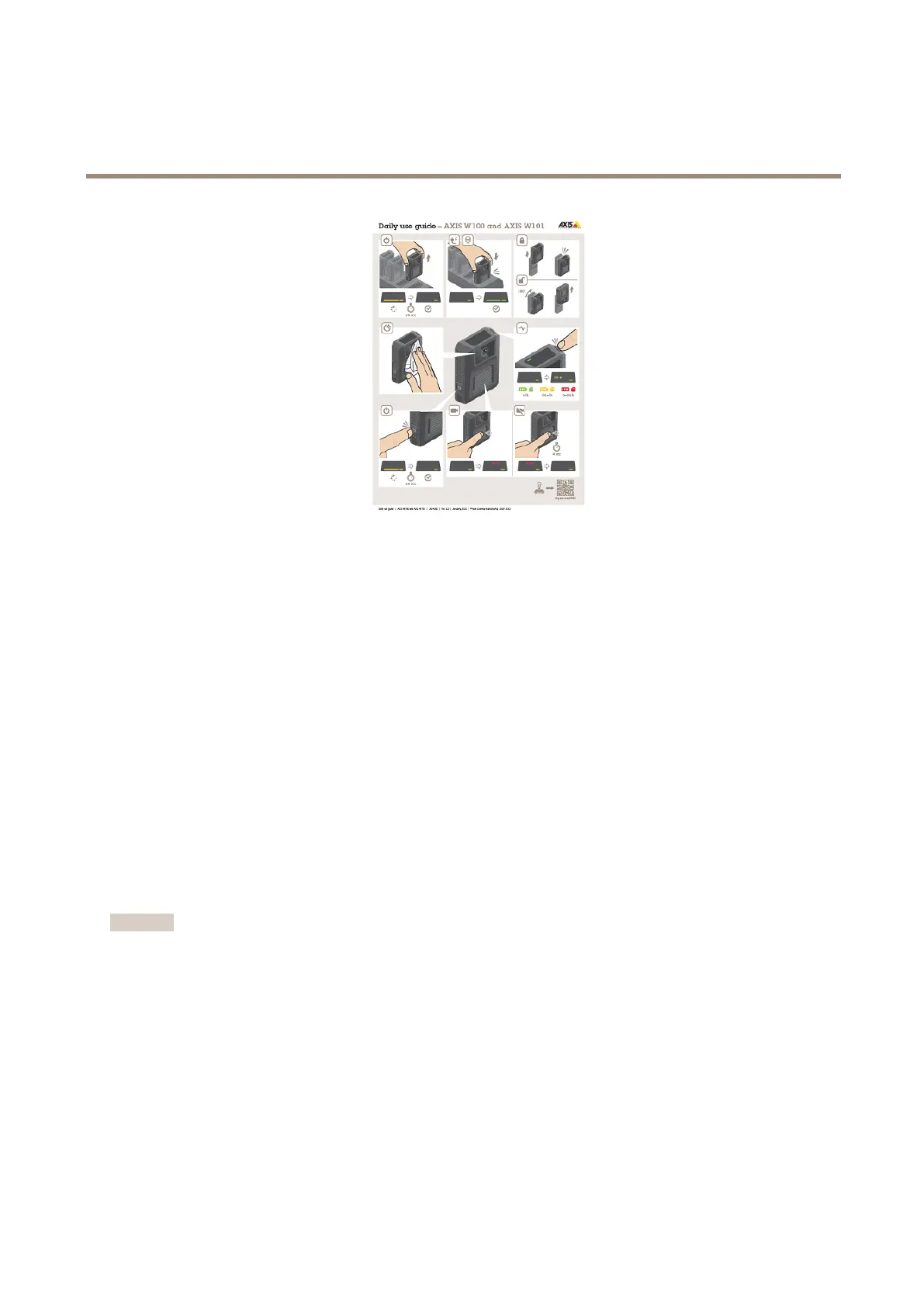
Startingashift
Werecommendcheckingafewthingsbeforestartingashift:
•Beforeyouundockthecamera,makesurethatthedockingstatusisgreen,whichindicatesthatthebatteryischarged,all
lesaretransferred,andthatthesoftwareisuptodate.
•Ifyou’reusingself-assigncameraassignment,tapyourself-assigntagontheRFIDreader.AllLEDsontheself-assigned
cameraashgreen,indicatingthatit’sreadytobeundocked.Youmustundockthecamerawithin15secondsafter
tappingtheself-assigntag.Onlyoneusercanself-assignacameraatatime.
•Ifyou’reconnectingthecameratoaholstersensor,makesurethatitisinthecamera’srangewithin10minutesafteryou
undockthecamera.Undernormalcircumstancestherangeis5–10m(16–33ft.).
•Whenyouundockthecamera,itrestarts.Thistakesabout20seconds,afterwhichthecameraisreadytouse.
•Cleanthewindow,usingadry,nonabrasivecloth.SeeCleaningformorecleaningrecommendations.
•Optionally,usetheliveviewinAXISBodyWornAssistanttocheckyourcameraimage,makingsurethatitisworking
properlyandthatthecameraorientationisokay.
Endingashift
Important
Alwaysdockyourbodyworncameraafterashift.Thisensuresthat:
•thecamerabatteryischargedbeforethenextshift
•allcontentisuploadedtothesystemcontroller
•thecamera’ssoftwareisuptodate
•camerasettingsandusercongurationissynchronizedwiththesystem
•Whenyoudockthecamera,itrestarts.Afterabout10secondsthestatusLEDsstartpulsingwithamberlight.Afteranother
10secondsthecamerastartsuploadingcontent.ThedockingstatusLEDshowsamberlight.
•Ittakes3–6.5hourstofullychargeadepletedbattery.
•Thetimetouploadrecordedvideovaries.Forexample,12hoursofrecordedvideocantakeuptoabout30minutesto
uploadtothesystemcontroller,dependingonthebitrateofthevideorecordings.
44


 To Next Page