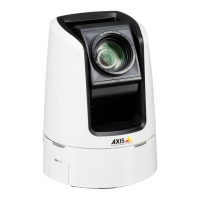
AXISV5914PTZNetworkCamera
VideoandAudio
WideDynamicRange
WideDynamicRangecanimprovetheexposurewhenthereisaconsiderablecontrastbetweenlightanddarkareasintheimage.
EnableWDRinintensebacklightconditions.DisableWDRinlowlightconditionsforoptimalexposure.
ExposureSettings
Exposurecontrol-Thesesettingsisusedtoadapttotheamountoflightused.Automaticisthedefaultsettinganditcanbe
usedinmostsituations.Theshutterspeedisautomaticallysettoproduceoptimumimagequality.UseManualifyouhavespecial
requirementsfortheexposuresettingandwishtolockit.Selectthedesiredexposuretimefromthedrop-downlist.
Allowslowshutter-SelectAllowslowshuttertoletthecameradecreasetheshutterspeedinlowlighttoimproveimagebrightness.
EnableBacklightcompensation-SelectEnableBacklightcompensationifabrightspotoflight,forexamplealightbulb,causes
otherareasintheimagetoappeartoodark.
Maxgain-Measuredindecibels(dB),gaindescribestheamountofamplicationappliedtoasignal,inthiscasethevisual
informationintheimage.Ahighlevelofamplicationmayprovideabetterimageinverylowlightsituations.Ahighgainwillalso
increasetheamountofimagenoise.
Exposurezones-Thissettingsdetermineswhichpartoftheimageisusedtocalculatetheexposure.Formostsituations,theAuto
settingcanbeused.Forparticularrequirement,selectapredenedarea.
IRcutlter-TheIRcutlterpreventsinfrared(IR)lightfromreachingtheimagesensor.Inpoorlightingconditions,forexampleat
night,orwhenusinganexternalIRlamp,settheIRcutltertoOff.Thisincreaseslightsensitivityandallowstheproductto“see”
infraredlight.TheimageisshowninblackandwhitewhentheIRcutlterisoff.SettheIRcutltertoAutotoautomatically
switchbetweenOnandOffaccordingtothelightingconditions.
ImageSettings
Important
Theautofocusbehaviorisaffectedbyfactorssuchaslightconditions,contrastsinthescene,andobjectsmovinginandout.In
theseconditionsorscenes,amanualfocuscouldbepreferabletoenhanceperformanceandallowthecameratofocusfaster.
Autofocusenabled-Autofocusenablesthecameratofocusalthoughthedistancetodifferentobjectsofinterestisconstantly
changing.Wheneverthecamera’span/tilt/zoompositionischanged,theautofocusperformsasearchtondtheidealfocuspoint.
Automaticfocusingisenabledbydefault.Ifthefocuspositionischangedmanuallyusingthefocusbar,autofocuswillbedisabled
evenifenabledinImageSettings.Inthiscase,usethePTZcontrolpaneltoenableautofocus,seepage13.Ifrequired,thefocus
controlcanbedisabledunderPTZ>Advanced>Controls.
Defog-EnablethisfeaturefromVideo&Audio>CameraSettingstocountertheeffectsoffoggyweatherandgetaclearimage.
Noisereduction-SettoOntoenablenoisereduction.Noisereductionmayincreasetheamountofmotionblur.
Stabilizer-Whenmonitoringenvironmentsthataresubjecttovibrations(e.g.trafccontrol),imagesmayappeartobeunsteady.
SelectOnorOfftoenable/disablethestabilizer.Enablingthestabilizerwillsteadytheimageandwilllimitthedigitalzoom.
Seetheonlinehelp
formoreinformation.
Overlay
Overlaysareusedtoprovideextrainformation,suchasforensicvideoanalysisorduringproductinstallationandconguration.
Overlaysaresuperimposedoverthevideostream.
Anoverlaytextcandisplaythecurrentdateandtime,oratextstring.
Whenusingatextstring,modierscanbeusedtodisplayinformationsuchasthecurrentbitrateorthecurrentframerate.
Forinformationaboutavailablemodiers,seeFileNaming&Date/TimeFormatsintheonlinehelp
.
Itisalsopossibletodisplaytextwhenanactionruleistriggered,seeUseOverlayTextinanActionRule.
21


 To Next Page