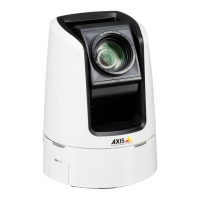
AXISV5914PTZNetworkCamera
HardwareOverview
Thecontrolbuttonisusedfor:
•Resettingtheproducttofactorydefaultsettings.Seepage54.
•ConnectingtoanAXISVideoHostingSystemservice.Seepage46.Toconnect,pressandholdthebuttonforabout3
secondsuntiltheStatusLEDashesgreen.
•ConnectingtoAXISInternetDynamicDNSService.Seepage46.Toconnect,pressandholdthebuttonforabout3seconds.
LEDIndicators
StatusLED
Indication
Unlit
Connectionandnormaloperation.
GreenShowssteadygreenfor10secondsfornormaloperationafterstartupcompleted.
Amber
Steadyduringstartup.Flashesduringrmwareupgrade.
Amber/RedFlashesamber/redifnetworkconnectionisunavailableorlost.
RedFlashesredforrmwareupgradefailure.
MicrophonepowerLEDIndication
UnlitPhantompoweroff.
BluePhantompoweron.
Note
•ThetallyLEDcanbeconguredtobelitorunlitduringnormaloperation.Tocongure,gotoSetup>SystemOptions>
Ports&Devices>LED.Seetheonlinehelpformoreinformation.
•ThetallyLEDonlyindicatesnetworktransmission.IfvideooraudioisonlytransmittedthroughHDMIorSDIthetallyLED
willbeunlit.
TallyLEDIndication
Unlit
Cameraidle.
RedActivenetworktransmissionorrecording.
9


 To Next Page