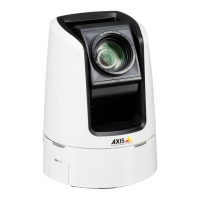
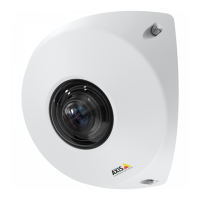
AXISV5914PTZNetworkCamera
VideoandAudio
Todisplaytheoverlayimage:
1.GotoVideo&Audio>VideoStreamandselecttheImagetab.
2.UnderOverlaySettings,selectIncludeoverlayimageatthecoordinates.
3.Tocontroltheimage’sposition,entertheXandYcoordinates.TheX=0andY=0positionisthetopleftcorner.Ifapartof
theimageispositionedoutsidethevideoimage,theoverlayimagewillbemovedsothatthewholeimageisvisible.
4.ClickSave.
UseOverlayTextinanActionRule
Actionrules,seepage34,candisplayanoverlaytextwhentheruleistriggered.Thetextcanbeusedtoprovideinformationfor
forensicvideoanalysis,notifysurveillanceoperatorsorvalidatetriggersandactionsduringproductinstallationandconguration.
Todisplayoverlaytextwhenanactionruleistriggered,themodier#Dshouldbeusedasdescribedbelow.Whentheruleis
triggered,#Dwillbereplacedbythetextspeciedintheactionrule.
Startbyenablingoverlaytextinthevideostream:
1.GotoVideo&Audio>VideoStreamandselecttheImagetab.
2.UnderOverlaySettings,selectIncludetext.
3.Enterthemodier#Dand,optionally,additionaltextwhichwillbedisplayedalsowhentheactionruleisnotactive.
Createtheactionrule:
1.GotoEvents>ActionRules
2.ClickAddtocreateanewrule.
3.SelectaTriggerand,optionally,aScheduleandAdditionalconditions.Seetheonlinehelpfordetails.
4.FromtheActionslist,selectOverlayText
5.EnterthetexttodisplayintheTexteld.Thisisthetextthat#Dwillbereplacedby.
6.SpecifytheDuration.Thetextcanbedisplayedwhiletheruleisactiveorforaxednumberofseconds.
SetUpAudio
Tochangetheproduct’saudiosettings,gotoVideo&Audio>AudioSettings.
Toincludetheaudiostreaminavideostream,gotoVideo&Audio>VideoStream.UndertheAudiotab,selectEnableaudio.
Eachstreamproleisaseparatevideostream.Toincludetheaudiostreaminallstreamproles,gototheaudiotabineachstream
prolesettingspageandenableaudio.Formoreinformation,seeStreamProlesonpage19.
AudioModes
TheAxisproductsupportsthefollowingaudiomodes:
•Fullduplex–Simultaneoustwo-wayaudioallowingtheAxisproducttotransmitandreceiveaudioatthesametime.
Thereisnoechocancellation;iffeedbackloopsappear,trymovingthemicrophoneorthespeaker.
•Half-duplex–AudiocanbetransmittedtoandfromtheAxisproductbutonlyinonedirectionatatime.Totransmit
audiousingtheLiveViewpage,usetheTalkandListenbuttons,seeAMCAudioControlsonpage12.
23


 To Next Page