WHITE
AXMINSTER
W
18
Operating Instructions...
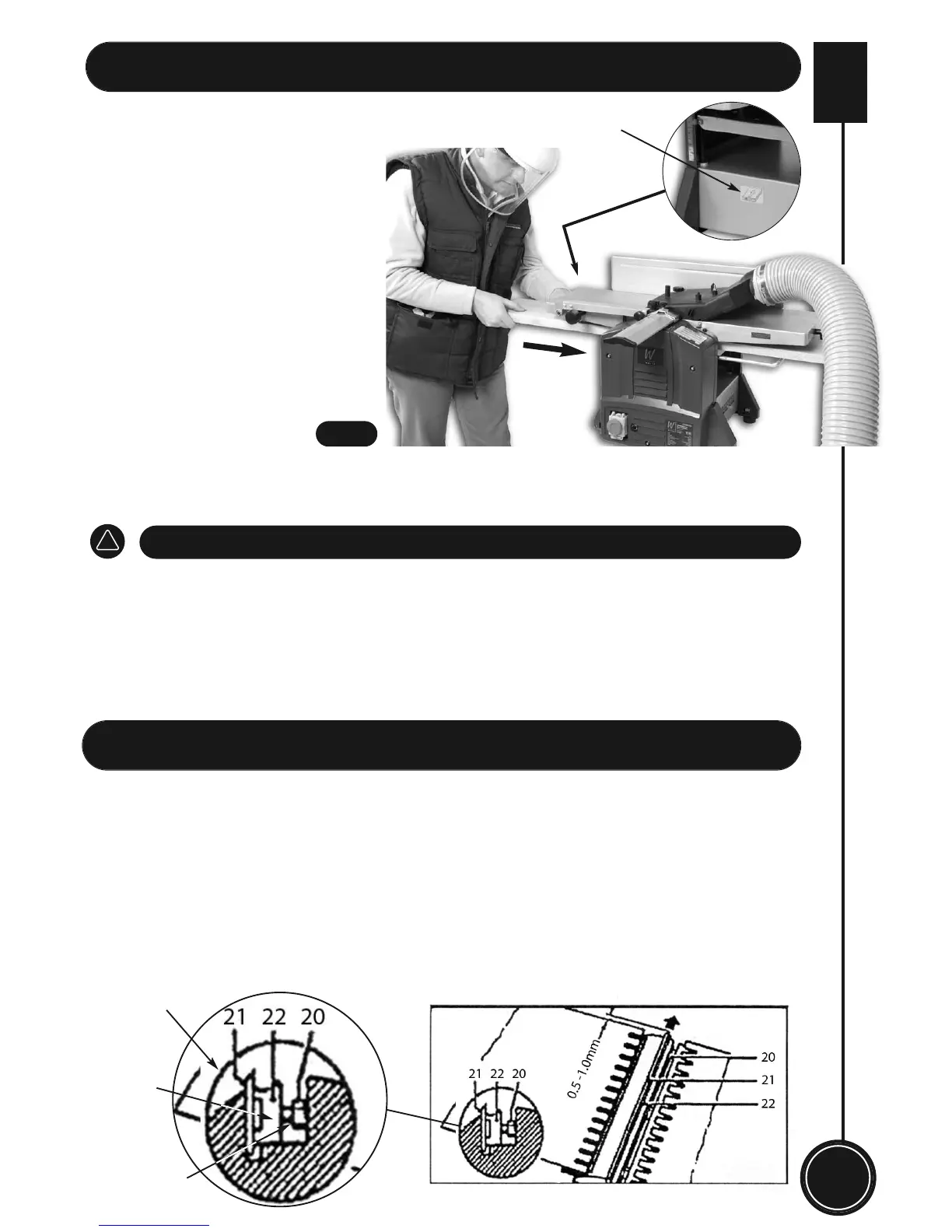
• Insert the mains plug into its socket,
then open the NVR switch cover and
press the green button to switch on the
machine. Wait until the cutterblock
reaches full speed, insert the
workpiece into the left side of the
thicknessing table as shown by the
direction arrow, below the thicknessing
table. Use both hands to hold the
workpiece and ease it into through the
thicknesser. (See fig 23)
• To turn off machine when completed, by pushing the red button and close the yellow cover
and wait until the machine comes to a complete stop.
• Remove chips and splinters from the cutterblock, fixed and adjustable tables.
• Remove the dust extractor moulding form the planning table, if you have finished thicknessing.
• Push back the cutterblock guard (9) back in position, and lower the cutterblock guard to cover
the cutterblock.
DISCONNECT THE PLANER THICKNESSER FROM THE MAINS SUPPLY
!
THICKNESSING CONTINUED
CAUTION: Always pull out the mains plug before changing or sharpening the knives. Sharp
planing knives guarantee good planing results and put less strain on the motor. Knives which
have become blunt must be sharpened or replaced. Proceed as follows to change or sharpen
the knives:
• Remove the guide fence (8). Pull out the cutterblock guard (9) to the side as far as it will go.
• Loosen the clamping bolts (20) by turning clockwise with open-ended spanner supplied.
Loosen the clamping bolts to enable the chipbreaker/wedge (22) with knife (21) can be
withdrawn through the opening. Take out the chipbreaker/wedge device and knife.
Cutterblock
Chipbreaker/
wedge
Clamping bolts
Changing & Sharpening the Knifes...
Direction arrow
Fig 23


 To Next Page