– 7 –
APP INSTALLATION
For Android phones only:
1. Download the A480DSP_SDAIII_V1.0.apk by scan of the QR code or download from
the AXTON website www.axton.de
2. Install A480DSP_SDAIII_V1.0.apk to your Android smart phone
3. Turn on Bluetooth on your mobile and search “SDAIII”, then connect to it with paring
code 1234
4. Open SDAIII app and click the “Connect” button
to connect your mobile to the
amplifier.
Scan to download and install APP
SDAIII FUNCTIONS
Connecting to the smart mobile
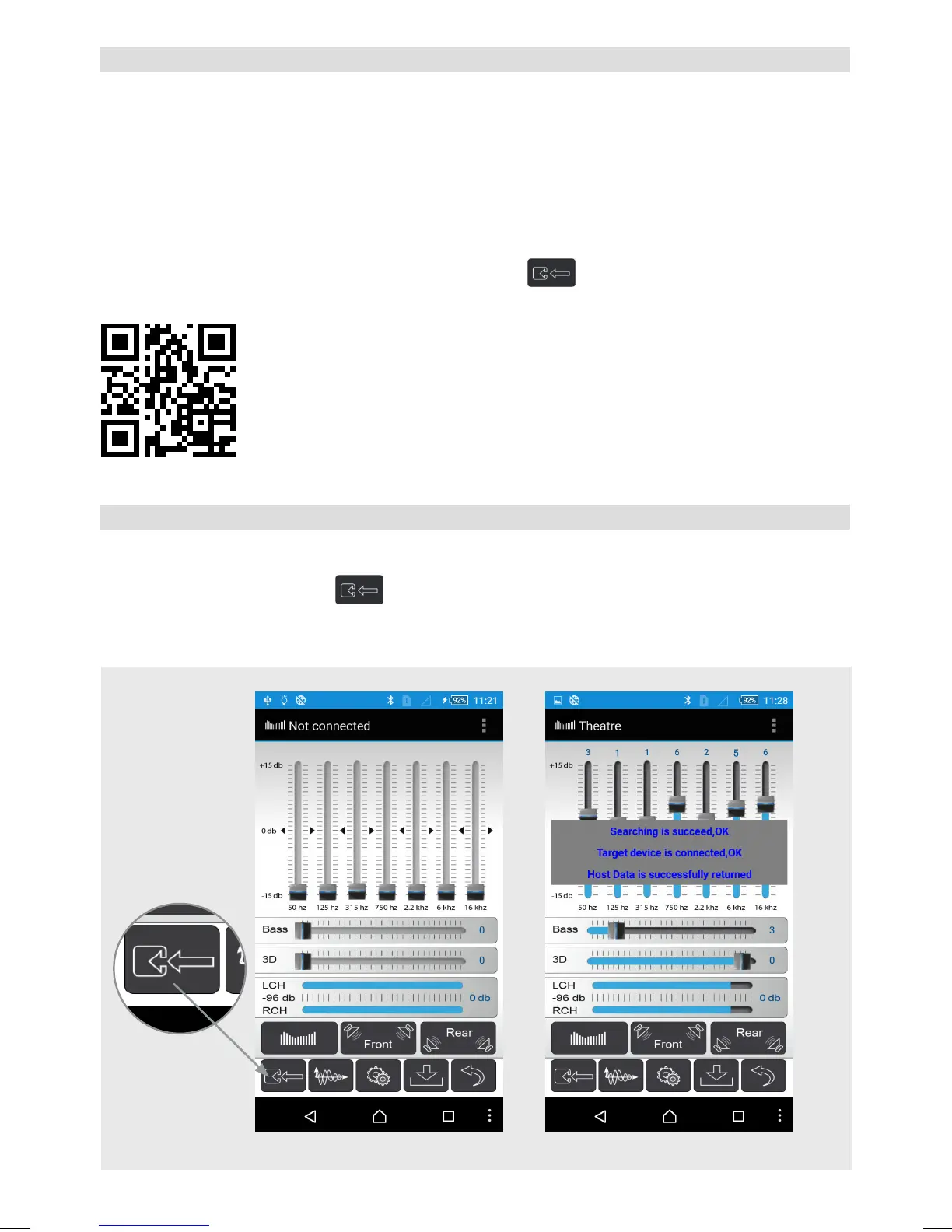
Touch the “Connect” button
to connect the mobile to the amplier. After the con-
necting procedure is done successfully, you are automatically in the EQ menu and the
app loads the settings from the amplier.
Connecting 1
Touch to
connect to
the amp.
Connecting 2


 To Next Page