– 8 –
EQ-Setting
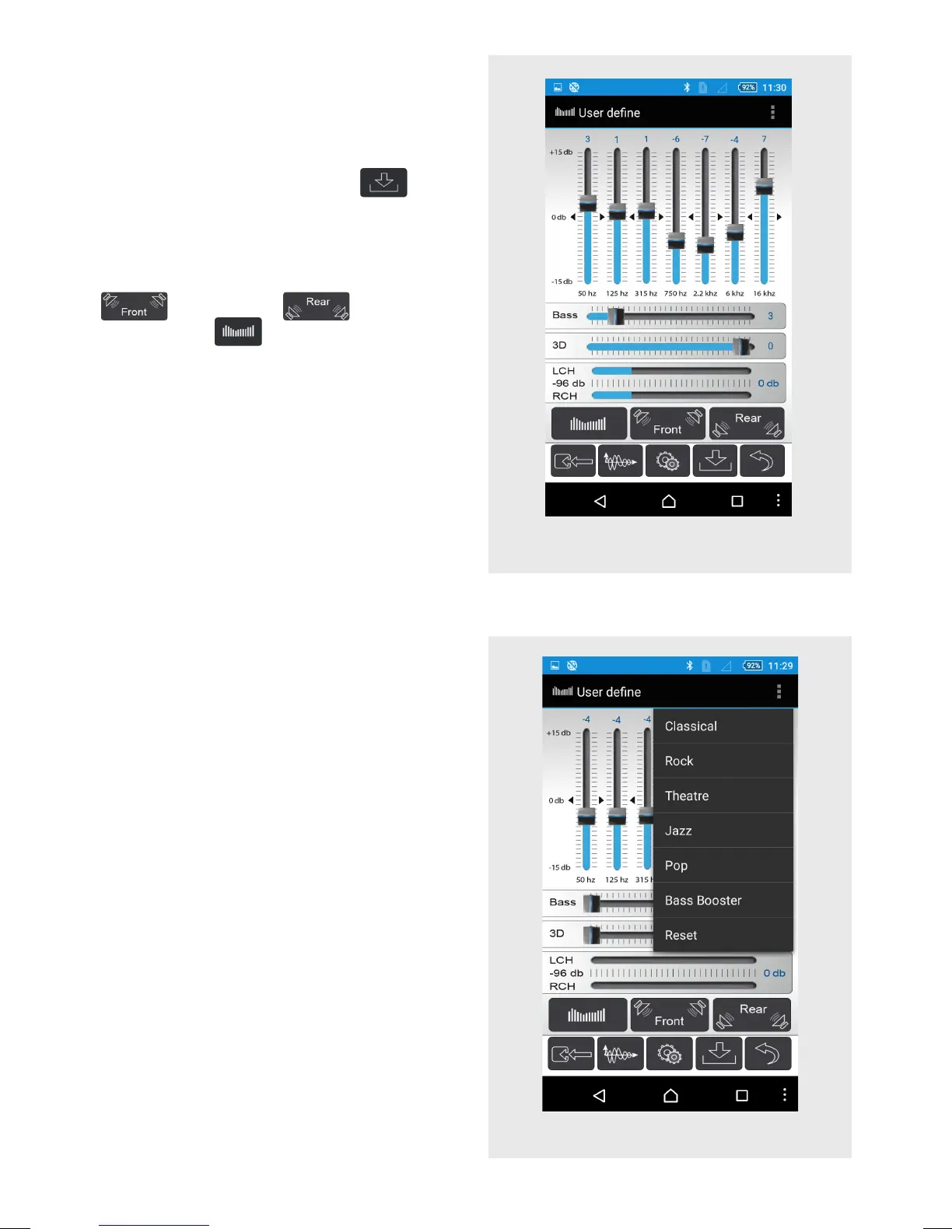
After you connected to the app SDAIII you
will see the equalizer menu where you can
do your own EQ setting by just touching
the sliders. Once you have done your own
settings, touch the “Save” icon
to
save the settings.
Caution: When saving, don’t turn off the
unit, otherwise it will be damaged.
You can do the EQ settings for only front
, for only rear or front and
rear together
.
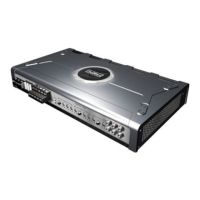
UI: Preset mode
Preset mode
Click the menu button in the upper right
area to choose between several preset
EQ settings: Classical, Rock, Theatre,
Jazz, Pop or Bass Booster. The get back
to a at EQ setting, just touch “Reset”.
Please note that in case you just want
to try the presets and but then want to
get back to your previous individual EQ
setting, you just need to close and restart
the app. The app will then re-load your
settings from the amplier.
UI: EQ-Setting


 To Next Page