– 9 –
UI: Time Alignment
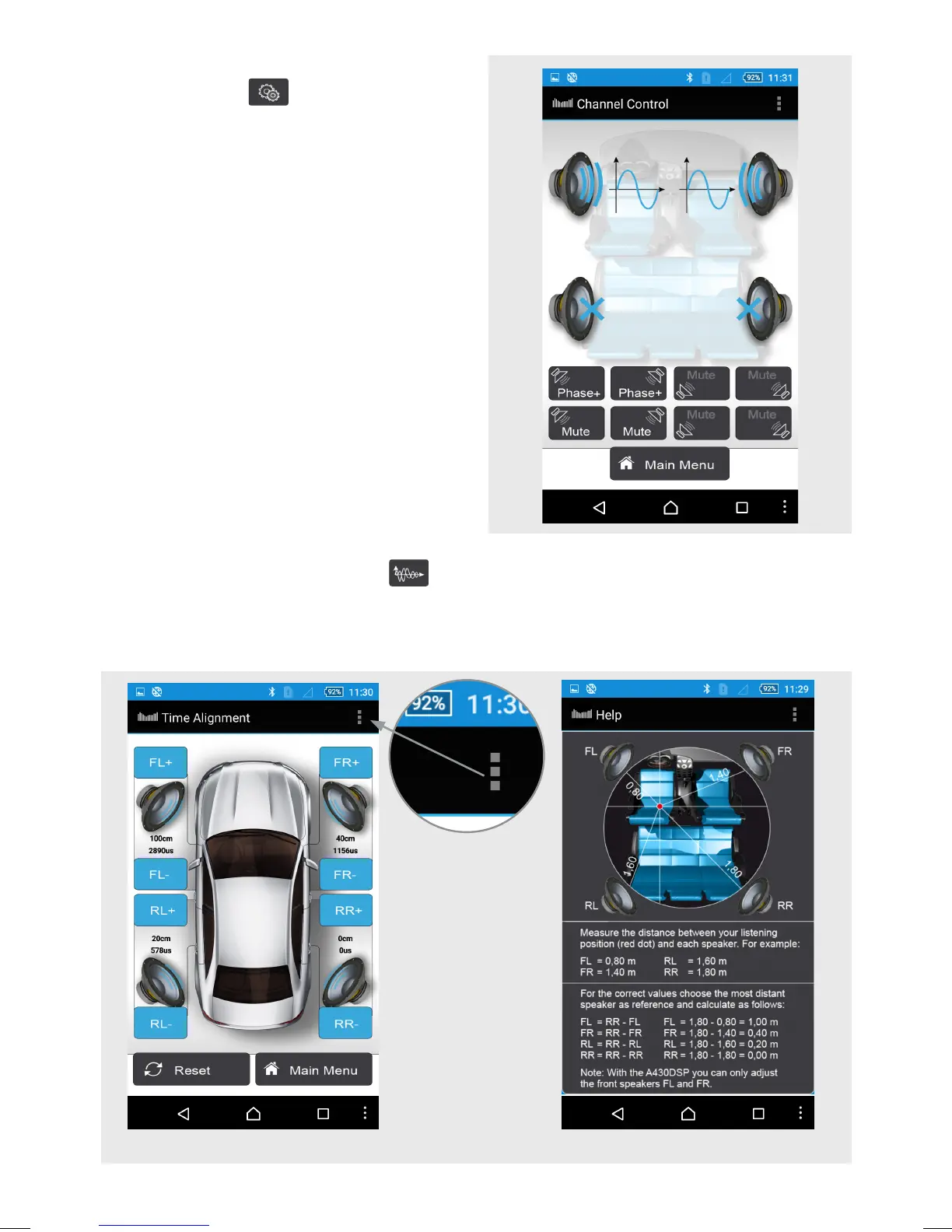
Time Alignment
Touch the button “Time Alignment” to get the menu. In this menu you are able to
delay the sound of the speakers to get an ideal listening position in the front of your car.
For details, please touch the “Help” menu in the upper right area.
“Help” menu in the
upper right area.
Channel Control
Touch the Button
to get to the channel
control menu. In the menu you can mute
or switch the phase of each channel. This
is help if you don’t want to drive the rear
speakers for example.


 To Next Page