AxxessInterfaces.com © COPYRIGHT 2020 METRA ELECTRONICS CORPORATION REV. 8/6/20 INSTAXDIS-GMLN29
INSTRUCCIONES DE INSTALACIÓN
AXDIS-GMLN29
¿Tienes dificultades? Estamos aquí para ayudar.
Póngase en contacto con nuestra
línea de soporte técnico en:
386-257-1187
O por correo electrónico a:
techsupport@metra-autosound.com
Horario de Soporte Técnico (hora estándar del este)
Lunes - Viernes: 9:00 AM - 7:00 PM
Sábado: 10:00 AM - 7:00 PM
Domingo: 10:00 AM - 4:00 PM
KNOWLEDGE IS POWER
Enhance your installation and fabrication skills by
enrolling in the most recognized and respected
mobile electronics school in our industry.
Log onto www.installerinstitute.com or call
800-354-6782 for more information and take steps
toward a better tomorrow.
®
Metra recomienda técnicos
con certificación del Programa
de Certificación en Electrónica
Móvil (Mobile Electronics
Certification Program, MECP).
EL CONOCIMIENTO ES PODER
Mejore sus habilidades de instalación y
fabricación inscribiéndose en la escuela de
dispositivos electrónicos móviles más reconocida
y respetada de nuestra industria. Regístrese en
www.installerinstitute.com o llame al
800-354-6782 para obtener más información y
avance hacia un futuro mejor.
RESOLUCIÓN DE PROBLEMAS
Resetting the AXDIS-GMLN29
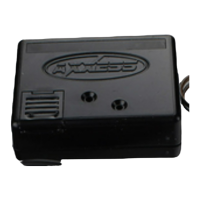
1. El botón de reinicio azul se encuentra dentro de la interfaz, entre los dos conectores. Se puede acceder al botón fuera de la
interfaz, no es necesario abrir la interfaz.
2. Mantenga presionado el botón de reinicio durante dos segundos y luego suéltelo para reiniciar la interfaz.
3. Consulte “Programación de la interfaz” desde este punto.


 To Previous Page
 Loading...