Need help?
Do you have a question about the Axxess AX-GMLAN11-SWC and is the answer not in the manual?
Lists the key features and capabilities of the data interface, including retained functions.
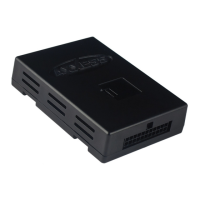
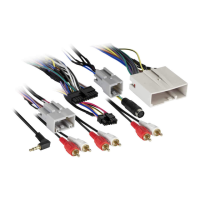
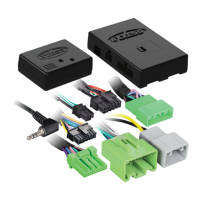
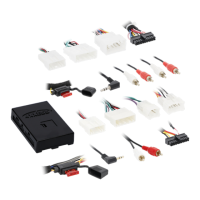
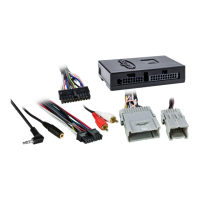
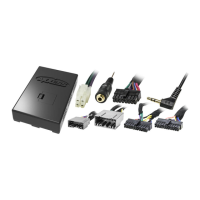
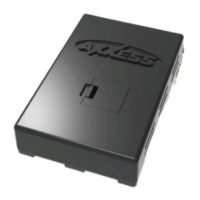
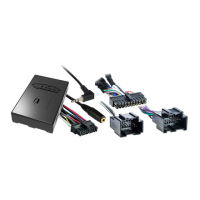
Details the physical parts and harnesses included with the AX-GMLAN11-SWC interface kit.
Lists compatible vehicle makes/models and the tools required for installation.
Details wiring instructions for vehicles without a factory amplifier.
Details wiring instructions for vehicles with a factory amplifier.
Explains how to connect the 3.5mm jack for steering wheel control retention.
Step-by-step guide on physically installing the interface unit into the vehicle.
Step-by-step process to initialize and program the interface for vehicle compatibility.
Instructions for programming steering wheel controls after initial interface setup.
How to adjust the OnStar audio level using steering wheel controls.
Explains how to retain and use AUX-IN and satellite radio features.
Interprets LED flashes for radio identification and guides manual radio type setting.
Customizing steering wheel button assignments and assigning dual functions.
Procedures for resetting the AX-GMLAN11-SWC to its default settings.
Provides the Tech Support phone number for installation difficulties.
Information on installer certification and training resources.
The Axxess AX-GMLAN11-SWC is a GM Data Interface designed for select Chevrolet, Pontiac, and Saturn vehicles manufactured between 2006 and 2012. This interface facilitates the integration of an aftermarket radio into vehicles equipped with a GMLAN data bus system, while retaining various factory features.
The primary function of the AX-GMLAN11-SWC is to provide essential data bus integration for aftermarket radio installations. It generates a 12-volt 10-amp accessory power output, which is crucial for powering the aftermarket radio. A key feature is the retention of Retained Accessory Power (R.A.P.), allowing the radio to continue operating for a short period after the ignition is turned off, until a door is opened.
For multimedia and navigation radios, the interface provides necessary NAV outputs, including parking brake, reverse, and speed sense signals. This ensures that navigation features, such as disabling video playback while driving or accurately tracking vehicle position, function correctly with the aftermarket unit.
The AX-GMLAN11-SWC also retains factory chimes, which are often integrated into the vehicle's data bus for various alerts (e.g., seatbelt, door ajar). Crucially, it maintains the functionality of the factory steering wheel audio controls, allowing users to control basic radio functions (volume, track, mode) directly from the steering wheel.
For vehicles equipped with OnStar or OE Bluetooth, the interface ensures these features remain operational. It offers an adjustable OnStar level, which can be customized to the user's preference. The factory AUX-IN jack and satellite radio (SAT) functionality are also retained, providing seamless integration of existing audio sources. The interface is versatile, compatible with both non-amplified and factory amplified vehicle models, and retains balance and fade controls for optimal audio output.
Installation involves connecting the AX-GMLAN11-SWC harness and a 16-pin harness with stripped leads to the aftermarket radio and the vehicle's wiring harness. Specific wiring instructions are provided for models with and without a factory amplifier, ensuring correct speaker connections and retention of features like illumination and mute.
The interface requires an initialization and programming sequence. After turning the ignition on, a Red L.E.D. on the interface provides feedback through a series of flashes, indicating the detected radio type. Users then press specific steering wheel buttons in a defined sequence (Volume Up, Seek Up, Volume Up, PTT/MUTE, Volume Up) to complete the programming. This process ensures the interface correctly communicates with both the vehicle and the aftermarket radio.
The AX-GMLAN11-SWC retains steering wheel controls via a 3.5mm jack connection to the aftermarket radio. Specific wiring instructions are provided for various aftermarket radio brands (Eclipse, Metra OE, Kenwood/JVC, XITE, Parrot Asteroid Smart/Tablet, Universal "2 or 3 wire" radios).
The OnStar volume level can be adjusted using the steering wheel's Volume Up/Down buttons while OnStar is active. For vehicles without steering wheel controls, the Black/Yellow wire on the AX-GMLAN11-SWC harness can be momentarily tapped to ground to adjust the OnStar level.
The interface retains AUX-IN and satellite radio functionality. Users can switch sources by pressing and holding the SOURCE button on the steering wheel. An optional AX-LCD (sold separately) can display satellite radio information and provide advanced control options. Advanced satellite radio features, such as tuning mode, preset programming, and display settings, are accessible by pressing and holding the SOURCE button for 3 seconds.
The interface can be reset to its default settings. This involves turning a potentiometer on the device (left, right, left, then back to initial position) with the radio on. The L.E.D. will then provide feedback, flashing rapidly, then slowly (indicating radio type), and finally turning off. The radio will turn off and then back on, signaling a successful reset and re-initialization.
The AX-GMLAN11-SWC features a Micro “B” USB port, allowing users to update the device's firmware. This ensures ongoing compatibility with new vehicle models, aftermarket radios, and provides bug fixes or feature enhancements. Updates are typically performed using the Axxess Updater App, which can also be used to program radio type and button remapping.
 General
| Brand | Axxess |
|---|---|
| Model | AX-GMLAN11-SWC |
| Category | Automobile Accessories |
| Language | English |

 To Next Page