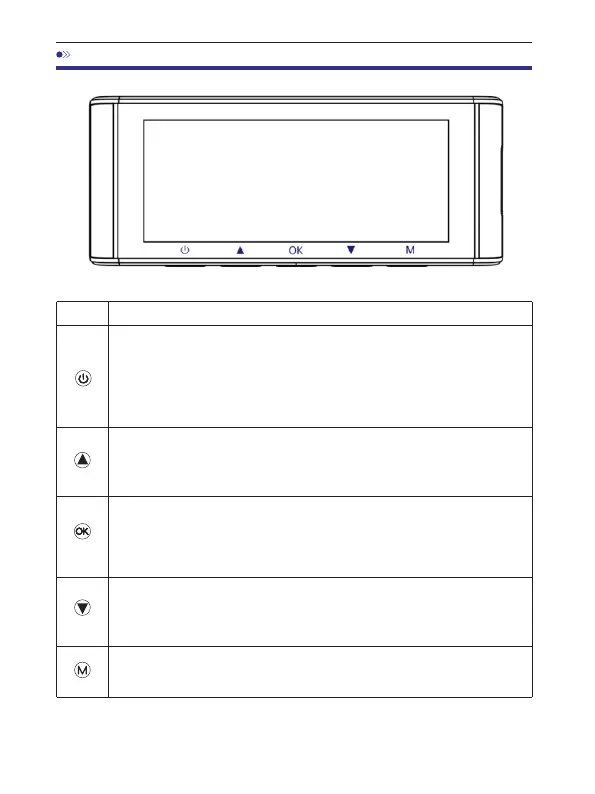
1.PressOncewhilethecameraisOFF-toTurnONthecamera
2.LONGPRESSfor2-SecondswhilethecameraisON-toTurnOFF
thecamera
3.PressOncewhilethecameraisON-toTurnOFF/ONLCDScreen,
pleasenotethatitisstillworking
1.PressOnce-toTurnOFF/ONaudiorecording
2.LONGPRESSfor2-Seconds-toLocktheCurrentLoopCycle
VideoFilewhileVideoisbeingrecorded
1.PressOnce-toStart/StopVideoRecording
2.PressOnce-toPlay/PauseVideowhileinPlayMode
4.PressOnce-toEnter/ConfirmSpecificSettingswhileinMenu
Settings
1.PressOnce-toshiftcameradisplaymode
2.LONGPRESSfor2-Seconds-toTurnONWiFi,thiswillturnON
WiFisignalsfromthedashcam.
1.PressOnce-toenter/exitmenusettings
2.LONGPRESSfor2-Seconds-toTakeSnap
Functions
Key
EN-12
6.ButtonsAndFunctions



 To Next Page