EN-29
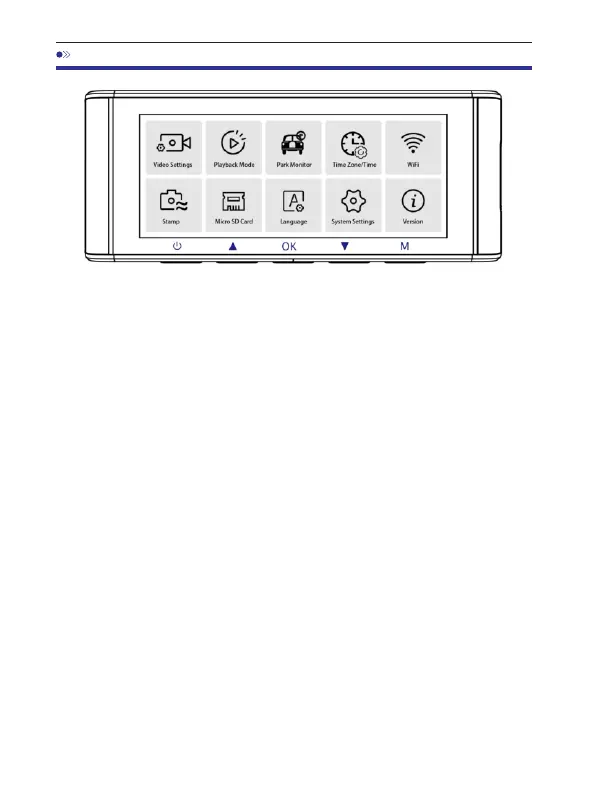
12.Menu
1.VideoSettings
Resolution
Allowtochoosethevideoresolution.
FrontCam+CabinCam+RearCam:
2K(2560x1440@30FPS)+FHD(1920x1080@30FPS)+FHD(1920x1080@30FPS)
FHD(1920x1080@30FPS)+FHD(1920x1080@30FPS)+FHD(1920x1080@30FPS)
LoopRecording—1min/3mins(Default)/5mins
Hereselectthelength(1/3/5min)ofeachvideoclipforthelooprecording.
Thisfunctionallowsthedashcamtocontinuouslyrecord.
Pleasenotice:Thedashcamwillkeepdeletingtheoldestfilesautomatically
whenmemorycardgetsfullsothatitcankeeprecordingoverandover.
RearCamMirror—On(Default)/Off
On:Dashcamscreenwilldisplaythemirrorimagefortherearcamera.
TimelapseRecord—Off(Default)/On
On:1-minuteTimelapsevideo=30minutesrealtimecoverage.
Videofileswillbeplayedathigh-speedwhenplayback.



 To Next Page