EN-36
13.FirmwareUpdate
1.RemovethemicroSDcardfromthedashcam.
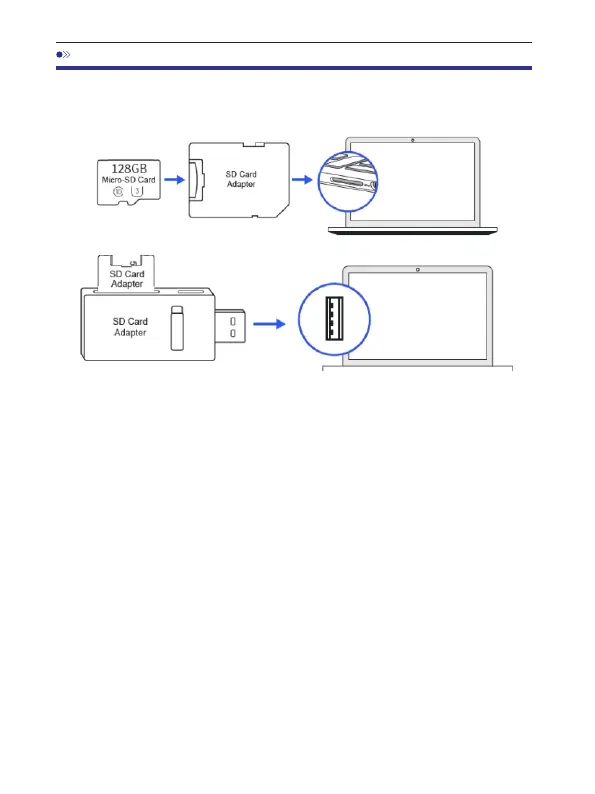
2.InsertthecardintothemicroSDcardreaderandconnectittoacomputer.
3 DownloadthelatestM550Firmwarefrom. www.azdomes.com>Support
>Downloadsonyourcomputer.
4.Unzipthedownloadedfirmware(Zipfile)andcopyall ********.bin‘ ’
firmwarefilestotherootdirectoryofmicroSDcard.
4.Connectthecameratothecarcharger.PressthePOWERbuttontostart
thefirmwareupdateprocess.YoushouldseetheblinkingredLEDwhich
meansyourAZDOMEM550dashcameraisupdatingthenewfirmware.
PleaseNOTE:
YouwillNOTseeanyactivityonthedisplayofthecamera.Itwillstayblank
duringthefirmwareupdate.Thefirmwareupdatemaytakeupto1or2mins.
Sopleasebepatient.MakesurethePOWERdoesNOTgetdisconnected
whilethefirmwareisbeingupdated.Oncethefirmwareisupdated,the
camerawillturnONautomatically.
5.Youcannowcheckthelatestfirmwareversionbygoingintothecamera's
menu>Version.



 To Next Page