EN-18
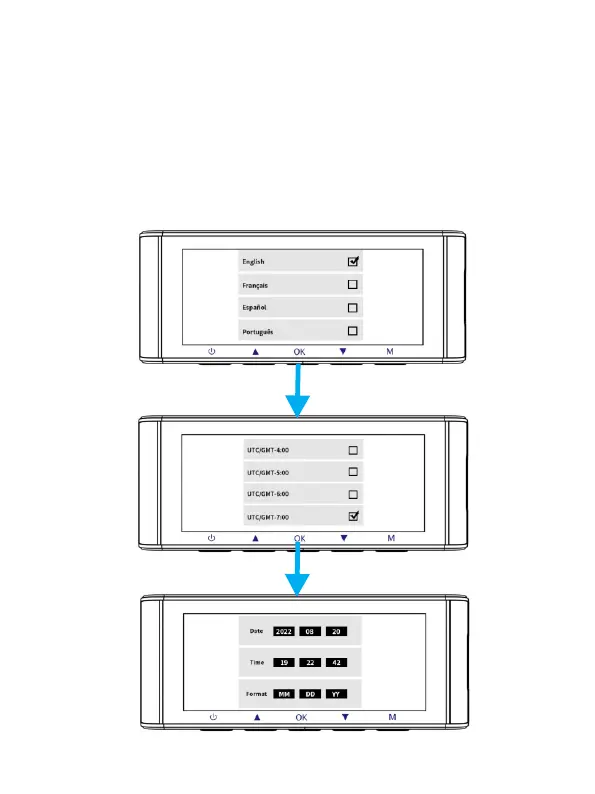
FirstTimeUse
ThismenuisusedtosetyourpreferredLanguage,TimeZoneand
Date&Time.
Thismenuwillappearwhen:
1.TheDashCamisfirstturnedon.
2.TherehasbeenaFirmwareUpdate.
3.AftertheDashCam’ssettingshavebeenreset,byusingthe‘ Default
Setting’optionintheSystemSettings.



 To Next Page