EN-26
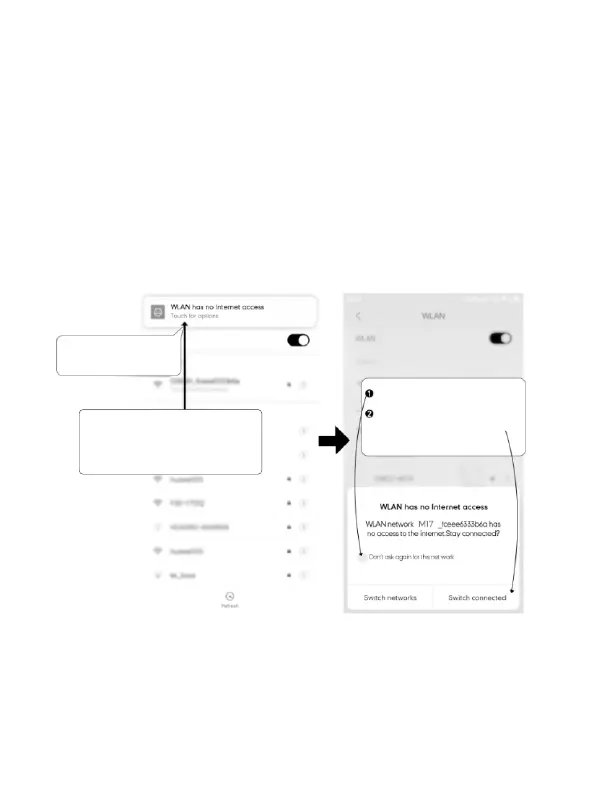
Touchhereassoonasyou
seethisnotification
Onceyouenterthedefault
passwordforAZDOMEWiFiandhit
connect,youwillseethispop-upin
fewseconds.
Touch here to check this box.
Then touch “YES” to stay
connected to this WiFi and
save this preference
ForAndroidphones:
WheninstallingtheAZDOMEAPP,itwillhavetwopop-upprompts,
select‘ WhileusingtheAPP’toallowAZDOMEtoaccessthisdevice's
location,andselect‘ Allow’toallowAZDOMEtoaccessphotosand
mediaonyourdevice.
Thereisoneextrastepyouwillhavetotakeforthefirsttime.Onceyou
connecttotheWiFiofM550,itwillsay‘ NoInternet’.Whichisfine.Wait
about10-15secondsuntilyouseethebelowpopupornotification.You
justhavetotaponthepopupnotificationthatwillshowupinfew
secondstoselectthatyoustillwanttostayconnectedeventhough
thereisNOInternet.OnceyouselectthisOK,youaresettogo.



 To Next Page