signaloutsideyourhome.
④ DashcamisNOTmadetobroadcastfootageoverthecloudorinternet.
ItisNOTacloudoranIPcameraanditisNOTmeanttodothat.
⑤ Youcan’toperatethedashcamwhenconnectingWiFi.Todisconnect
WiFi,pressandholdandholdfor2-secondstoreturntothe
videomode.
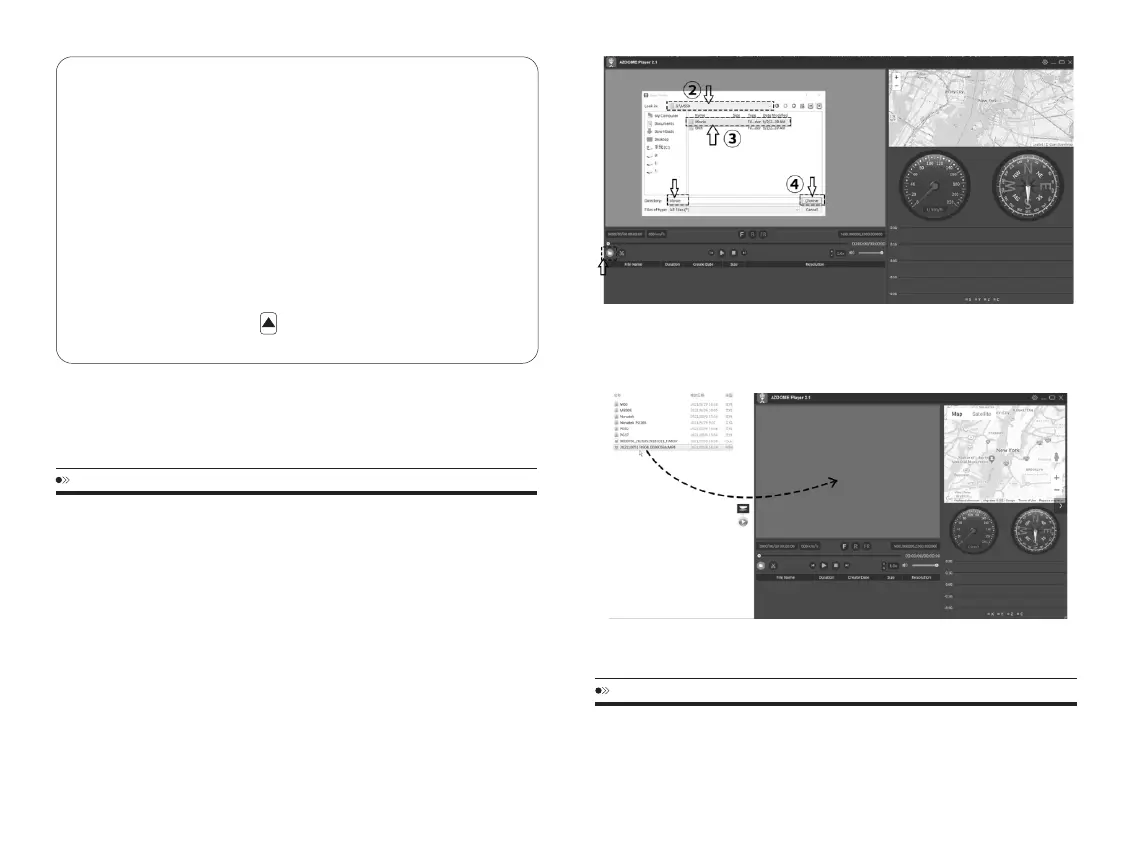
AZDOMEGPSPlayer
1.Plasegotoourofficialwebsitewww.azdomes.com/pages/supportto
downloadtheAZDOMEPlayer(ForWindowsormacOS)
2.InstalltheAZDOMEPlayerinyourcomputer.(Note:Pleasecloseorignore
thepromptoftheanti-virussoftware,weconfirmthatitwillnotbringany
securityimpacttoyourcomputer.)
3.Takeoffthememorycardfromthedashcamandinsertittoyourcomputer.
4.Therearetwowaystoplayvideo.
A,ClickFile-Openicontochoosethefolderwhichyouwanttoplay,clickto
startplay.(NotethatyoucanONLYselectonefoldertoplayandseenovideo
files)
EN-26 EN-27
NOTICE
① TheWiFisignalrangeisabout10feet/3meterswhenthereareNO
obstructionsinthemiddle.
② Ifyoucan’tgetthelive-videoonAPP,pleaseturnoffthe4Gnetworkof
yourphoneorturnonAirplaneMode.
③ PleaseNOTEthatjustlikeyourhomeWiFinetwork,youcanthaveWiFi
FIRMWAREUPDATE
Thefirmwarewillbeupdatedregularlytointroducenewfunctionsand
improvethegeneralperformance.Whenthecameradoesn’trespondto
youroperationandtheresettingdoesn’thelp,it’susefultoupdateto
①
B,Seclectfrom“ MyComputer”andfindthememorycarddisk,choosethe
videofileyouwanttoplay,youcandraganddropthefiledirectlytothe
player.YoucangettheGPSinformationontheplayer.
CustomerServcieCenter:service@azdome.hk



 To Next Page